Compare a number of email addresses and check their domains against one you are filtering for via a regular expression.
Screenshot of email addresses in a Google Sheet cell
The following Google Apps Script is designed to use a regular expression (regex) to confirm if an email address domain matches one we specify eg: @hotmail.co.uk, @gmail.com, @outlook.com
I developed the code so I could screen email addresses to make sure they only came from within the institution – otherwise it would have broken the tool I was developing for creating Zoom meetings. The email addresses in this example are all stored in one cell in a Google Sheet and are separated via a comma and a single space.
Google Apps Script is handy, and it will help you a lot in your work. However, as you use it, you may hit a big wall. That is the six-minute limit on execution time. As the official documentation states, the maximum allowed time per execution of Google Apps Script is 6 minutes.
If the script execution time reaches 6 minutes, the script will stop suddenly, and an error message “Exceeded maximum execution time” will be displayed.
For as long as Google Apps Script has been around there have been various solutions published for handling the 6 minute execution limit. This post from Inclu Cat presents a nice overview and solution for the execution limit.
Sourabh Choraria has packaged some of the validator.js methods into a Google Apps Script library. Ported validators currently includeisUrl and isEmail, date validators and more. Sourabh has also posted the backstory behind this library.
I recently was processing some data using Apps Script, and needed to parse out second-level domain info from a bunch of URLs. This is definitely not the job for regular expressions, but it’s perfect for an npm module, psl, that uses the public suffix list.
But while Apps Script has come a long way, and features lots of ES2015+ goodness nowadays, it’s not possible to pull in arbitrary code from npm and run it directly. To work around this…
Jeff Posnick provides some guidance on how esbuild can be used to bundle npm libraries for use in Google Apps Script. For an alternative approach to this problem you might also want to check Adam Morris’ appscriptsModules.gs solution on GitHub.
There are many ways to push data from SQL Server to Google Sheets, including using Python or Google Apps Script. While Python is great for a heavy SQL query, I find it a bit of a hassle when it comes to scheduling. Meanwhile, Google Apps Script works perfectly well for middle-size SQL queries and the triggers make it very simple to schedule, there is also no need to use any API.
In this article, I will share with you how to push data from MS SQL Server to Google Sheets using Google Apps Script and the tips I learned when implementing the solution.
Continuing the SQL theme this post from Trang Nguyen Ngoc provides a useful overview and introduction for connecting to a MS SQL databases using JDBC service. The post is particularly useful as it contains some tips if you encounter issues with connection.
[Note: there have been some issues recently with the JDBC service and if you encounter problems we recommend checking the issuetracker]
While working on Sheets Workbook functions – converted to Apps Script I realized that I’d need to tackle the query language at some point, so I figured I may as well go the whole hog and implement a comprehensive SQL variant for Apps Script. Luckily though, I found alasql so with a few tweaks it was ready to go!
A couple Google Apps Script community contributors have shared solutions for using the AlaSQL.js library. Latest come from Bruce Mcpherson, which is included as the source link. If you use Bruce’s fiddler library his post is worth checking out as he provides examples showing how both libraries can be used together. Another version of AlaSQL.js you should look at is Alex Ivanov’s AlaSQLGS which also includes some data and code samples.
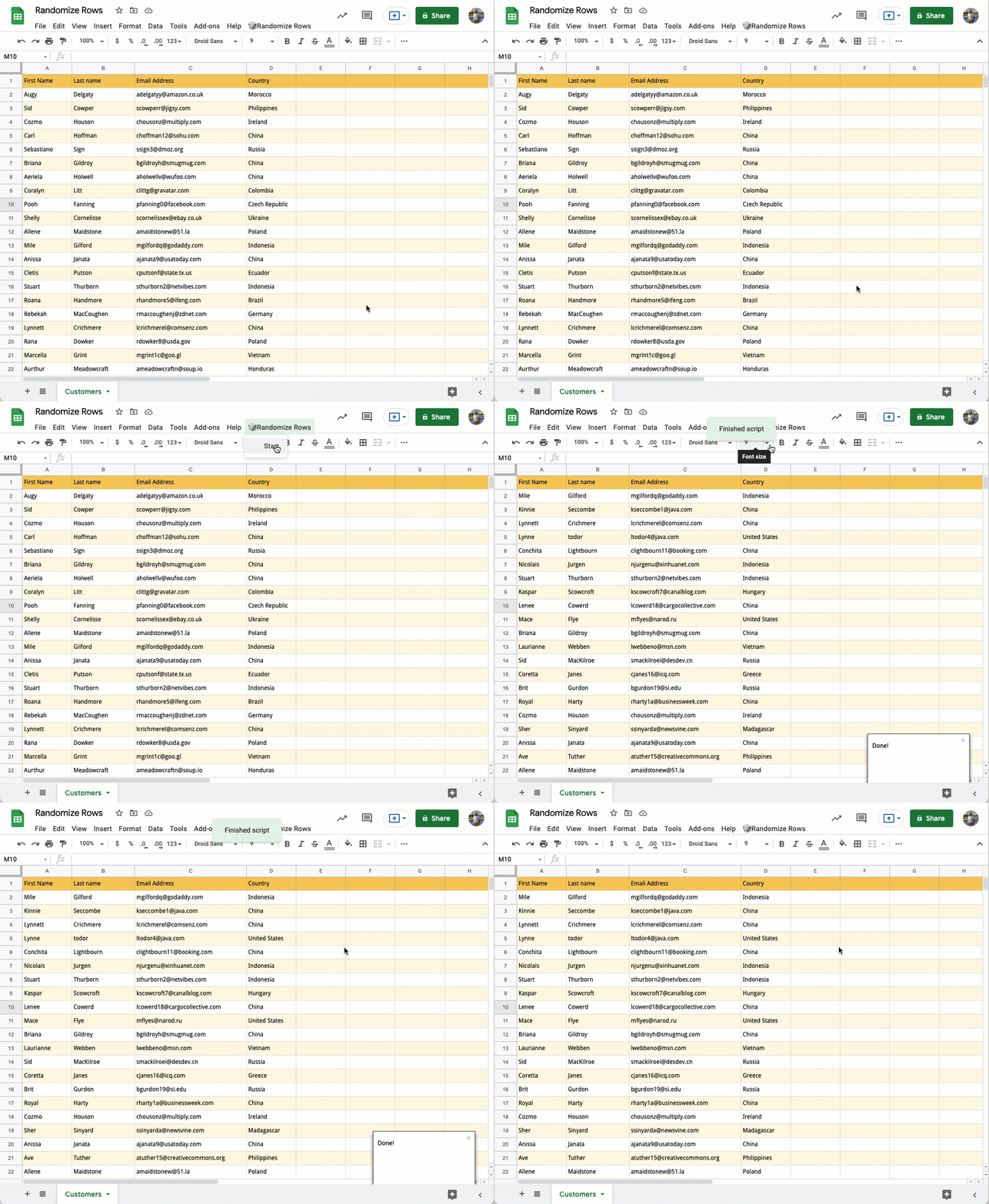
Learn how to sort your data in a Google Sheet in randomized order using Excel formulas and Google Apps Script.
Nice little snippet from Amit Agarwal which includes some Google Apps Script code for randomising the order of rows in Google Sheets. The code has some clever use of .autoFillToNeighbor(), .offset() and .sort().
More technically, this library can be used to send http requests via UrlFetchApp.fetch or UrlFetchApp.fetchAll, interacting with api endpoints in raw form. By bringing it down to a lowest layer on this platform, you get the following benefits:
All of the options, features, and abilities that are available. No compromises.
Ability to batch the requests in bulk. Performance can be significantly improved and run times lowered.
If you’re looking for a way to duck under the 6 minute limit to your scripts, the last bullet point should be particularly interesting.
Keep up to date with any feed by having new posts published to a Google Chat room using Apps Script and Webhooks. Feeds included in this example are various official Google blogs.
This is a nice solution developed by Justin Wexler which provides an easy solution which can monitor a list of blogs and post any updates to a Google Chat room. The source post provides more detail on setup and how to use the code with your own Google Chat rooms. The code also provides a useful pattern for monitoring updates from RSS feeds.