Google Apps Script: A Beginner’s Guide

With Apps Script, you can do cool stuff like automating repetitive tasks, creating documents, emailing people automatically and connecting your Google Sheets to other services you use.

This Google Apps Script introductory post from Ben Collins has been around for a while, but worth keeping in the old link locker as it summarises lots of useful information and links. Click through to the source for more details.

Source: Google Apps Script: A Beginner’s Guide

Using Google Apps Script to find/print inactive users in Google Workspace – xFanatical

In large organizations, it’s overwhelming for admins to find inactive users in the User List of Google Admin Console. These inactive users have not been logged in their Google accounts for a long period. It imposes a potential security risk to the organizational data if these accounts are not taken care of.  A free apps script to print all inactive users in Google Workspace. The following open source Google Apps Script can automate the process of printing inactive users in your domain.

Nice little snippet from xFanatical. Check out the source link for all the code and instructions for using.

Source: Print inactive users in Google Workspace – xFanatical

Extract text from multiple Google Docs into a Sheet

The following Google Apps Script is designed to iterate through Google Docs in a given Google Drive folder and extract the paragraphs of text along with a link to each file into a Google Sheet. A new column will automatically be appended for each paragraph.

This tool was designed with the vision that you may wish to centrally collate some comments/feedback written by others in Docs, into one central location so you do not need to open each file in turn.

Provide a Google Folder ID to extract text from Docs

Source: The Gift of Script: Extract text from multiple Google Docs into a Sheet

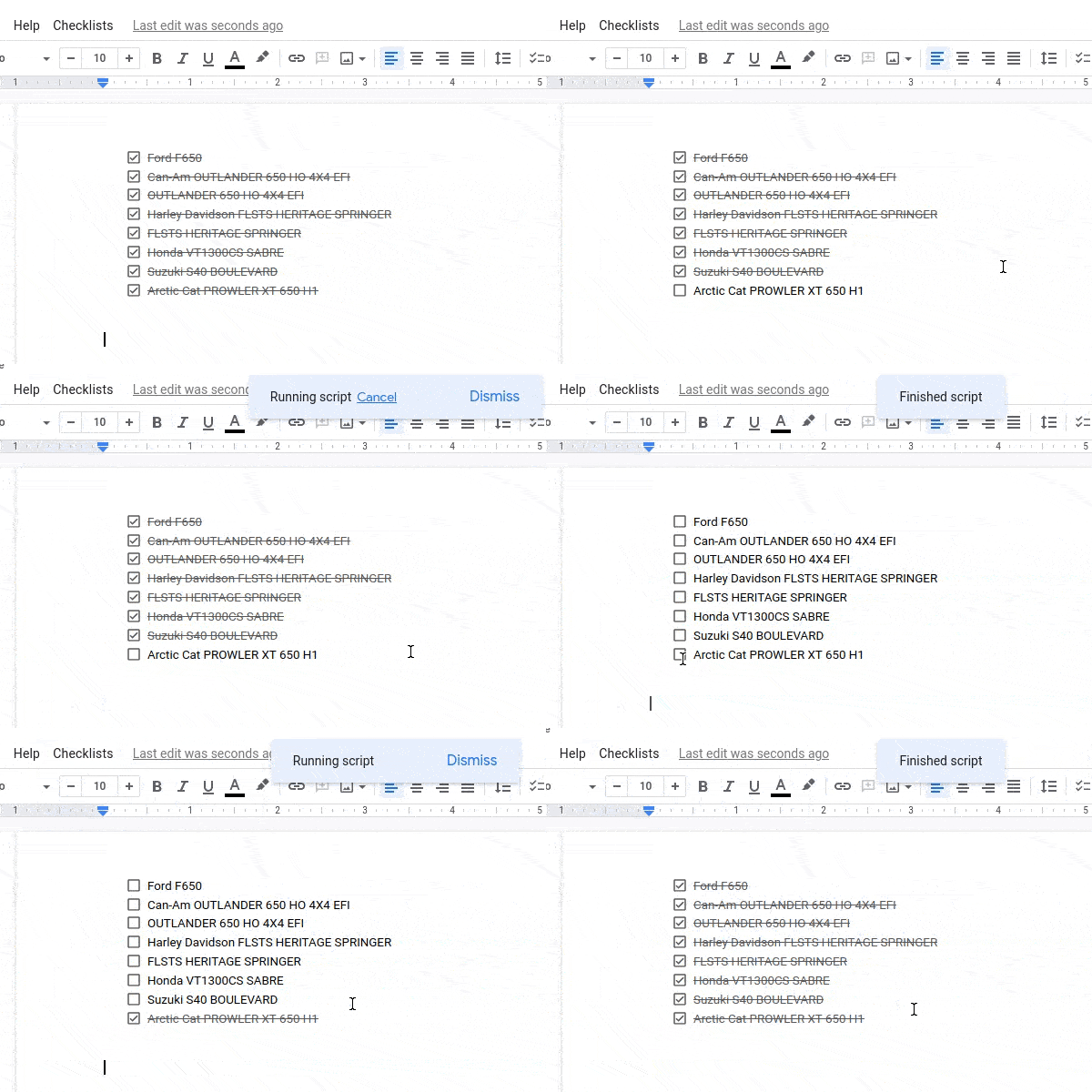
Check/uncheck the entire checklist in Google Docs with Google Apps Script

Currently it is unknown if the checklist can be manipulated in Docs. Clark Lind suggests to replace a list item with a copy of one of them (which is in expected state – check/uncheck)

A nice example of the Google Apps Script developer community helping each other out. In this case Alexander Ivanov was looking for a way to interact with the new Google Docs checklist feature. A direct way to interact with these isn’t possible but some clever coding from Alex demonstrates what is currently possible.

Source: Uncheck a checklist

Sending emails on a schedule with Google Apps Script

Ever wondered how you would automate tasks in Google Workspace without using a tool developed by an external entity? Google has your back. In this article, we will see how one can send emails on a schedule. As an example, I have used an annual event. A birthday reminder script, if you will.

A simple example but for those just starting out in Google Apps Script a nice example of using time-based triggers.

Source: Sending emails on a schedule with Google Apps Script

TSChatWise : Post lessons and learning resources specified in a Google Sheet to one or more Google Chat rooms — Getting Started

In a previous post I introduced TSChatWise … a Google Sheets and Apps Script powered Google Chat tool for teaching and learning. 🚀 This post is the third post in a TSChatWise “Getting Started” series where I’ll discuss how to get started with TSChatWise.

We’ve feature TSChatWise in AppsScriptPulse in the past but worth revisiting as author Laura Taylor has created some resources to help you get started.

Source: TSChatWise — Getting Started

Creating Colorful Buttons on Google Spreadsheet using Google Apps Script

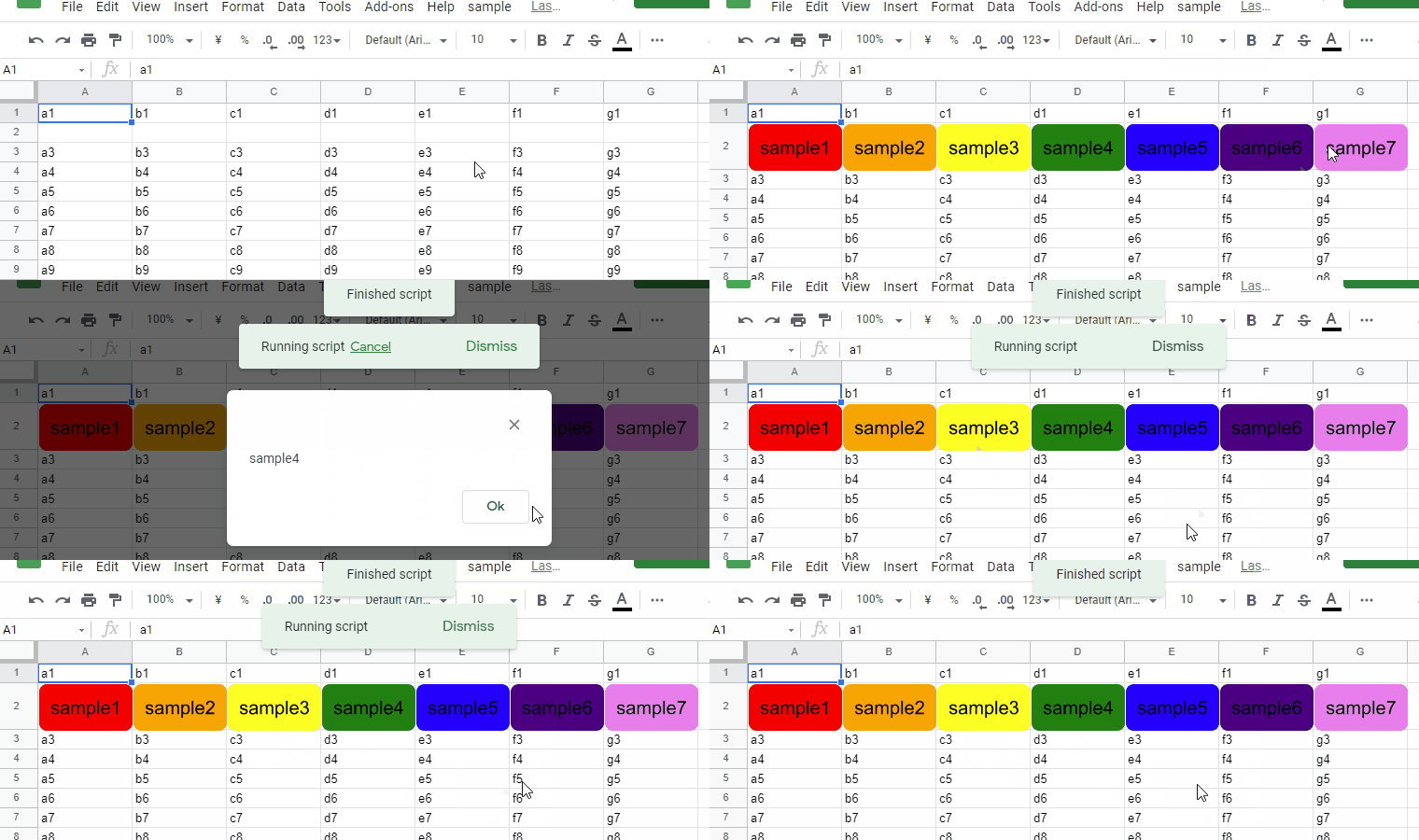
This is a sample script for creating the colorful buttons on Google Spreadsheet on Google Apps Script.

There are some interesting features in this script example, combining the use of Google Slides to create buttons and then assigning a script function to the result using the .assignScript() method.

Source: Creating Colorful Buttons on Google Spreadsheet using Google Apps Script

Data Enrichment with the Google Tables Apps Script Bot -Ben Collins

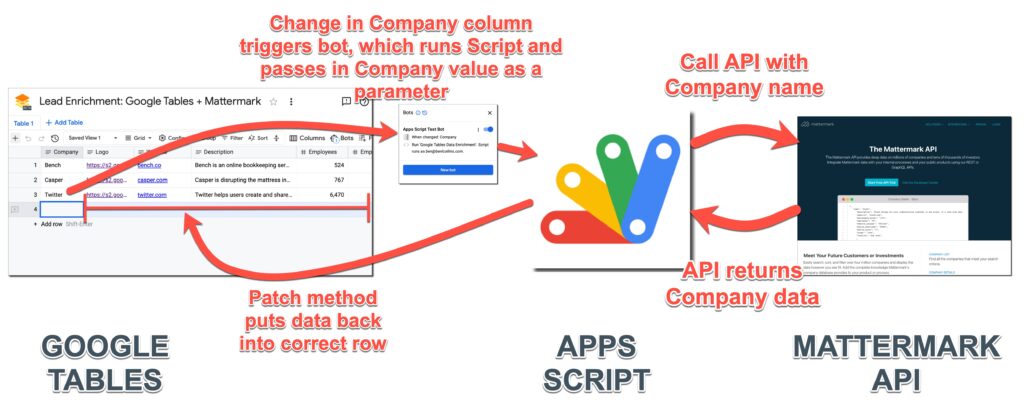
Learn how the Google Tables Apps Script Bot works and see an example of data enrichment using the Mattermark API.

In this post, I’ll show you how to use the new Google Tables Apps Script Bot. When something happens in your Google Table – a new row, or a value changes – a bot can be set to trigger an Apps Script function. It opens up a world of new possibilities.

While the Tables beta has been announced as joining Google Cloud it is still limited to US users. In the meantime for those outside the US we are limited to watching from the sidelines. Fortunately we can watch through the expert eyes of community members, in this case the esteemed Ben Collins. In this post Ben highlights how the experimental Tables Apps Script integration can be used to develop bots.

Source: Data Enrichment with the Google Tables Apps Script Bot –

Sheets Workbook functions in Apps Script – Date and Time and Temporal primer – Desktop Liberation

Timezones

If you are handling data from sheets it might be useful to use the same logic as is available in the worksheet for common tasks rather than reinventing them. Dates and Times are especially complicated as JavaScript dates are not good with timezones and date arithmetic, especially since spreadsheets and scripts can exist in different timezones from each other. I’m using Temporal – dates, times and timezones and the proposed new Date system for ECMAScript to emulate what Sheets functions do, and I’ll go through the implementation as a learning aid for Temporal as much as a documentation of the functions.

Source: Sheets Workbook functions in Apps Script – Date and Time and Temporal primer – Desktop Liberation

XPath Tester using Web Apps Created by Google Apps Script (working with existing Google Sheets functions in Apps Script)

In this post, I would like to introduce the xpath tester using Web Apps created by Google Apps Script.

This is an interesting little Apps Script solution from Kanshi Tanaike which uses the existing Google Sheets =IMPORTXML() in a Google Apps Script  Web App to test an XPath. As there is a delay in loading some Google Sheets function results this post includes a nice little coding pattern using a do...while loop to wait for results to render.

Source: XPath Tester using Web Apps Created by Google Apps Script