How to use the Zoom API to automatically create and schedule Zoom meetings with Google Apps Script
Great little snippet from Amit Agarwal showing how you can interact with the Zoom API using Google Apps Script. This post is also a great example if you are also looking for a code pattern for interacting with APIs using JSON Web Token (JWT). As Amit mentions it’s worth noting that:
We can build Zoom apps with the OAuth2 library as well but since this app is only for internal use and will not be publish to the Zoom marketplace, the JWT approach is easier.
Retrieve the source code linked to a specific version of your Apps Script project then save it as a new Apps Script project – RomainVialard/access-code-of-older-versions
Neat solution from Romain Vialard to retrieve a previous version of your Apps Script code. There is an open feature request to have this as a built-in feature of Apps Script (as noted by Romain recovering a previous script version is also possible using clasp using pull and an optional version number).
It’s serverless, it’s integrated, it’s JavaScript. Google Apps Script is a powerful enterprise ready productivity and rapid application development platform that makes it fast and easy to create business applications that integrate with G Suite. In this session you will provide an introduction to the Google Apps Script platform and highlight some example solutions that you can start using today.
Talk presented at 24hrs of Google Cloud Talks by DevRel on 23 June 2020 by Martin Hawksey
The Google Cloud Vision API is a powerful tool that helps developers build apps with visual detection features, including image labelling, face and landmark detection, and optical character recognition (OCR). Getting started building with these services is relatively simple with Apps Script, as it uses simple REST calls to interact with the API directly, eliminating the need to set up SDKs or to download client libraries.
In this post Christian Schalk, Google Cloud Developer Advocate, provides details for setting up a Google Apps Script project with the Google Vision API, using this service to perform optical character recognition on a user selected image.
Course evaluations can be a bit overwhelming when receiving mass amounts of feedback, but thanks to Apps Script this is a problem of the past. In this episode of Sheets to Apps, we’ll show you how to create and use an Apps Script for Google Sheets that allows you to respond to feedback on Google Forms via email.
In a recent episode of Sheets to Apps Ben Collins’ clever ‘Respond to feedback from students in a course’ in the G Suite Solutions Gallery is featured. See the YouTube video description for related links.
This is a GAS library for copying the rich text with the text styles from Google Document to Google Spreadsheet or from Google Spreadsheet to Google Document using Google Apps Script (GAS). And, also the rich texts in the cells can be converted to HTML format.
Nice little helper library for copying rich text formatting from Google Docs and Sheets. You can view the project README for information on the formats that are currently supported. Personally, the inclusion of the RichTextToHTMLForSpreadsheet method looks particularly useful for converting rich text formatting in Google Sheets cells to HTML for mail merge applications.
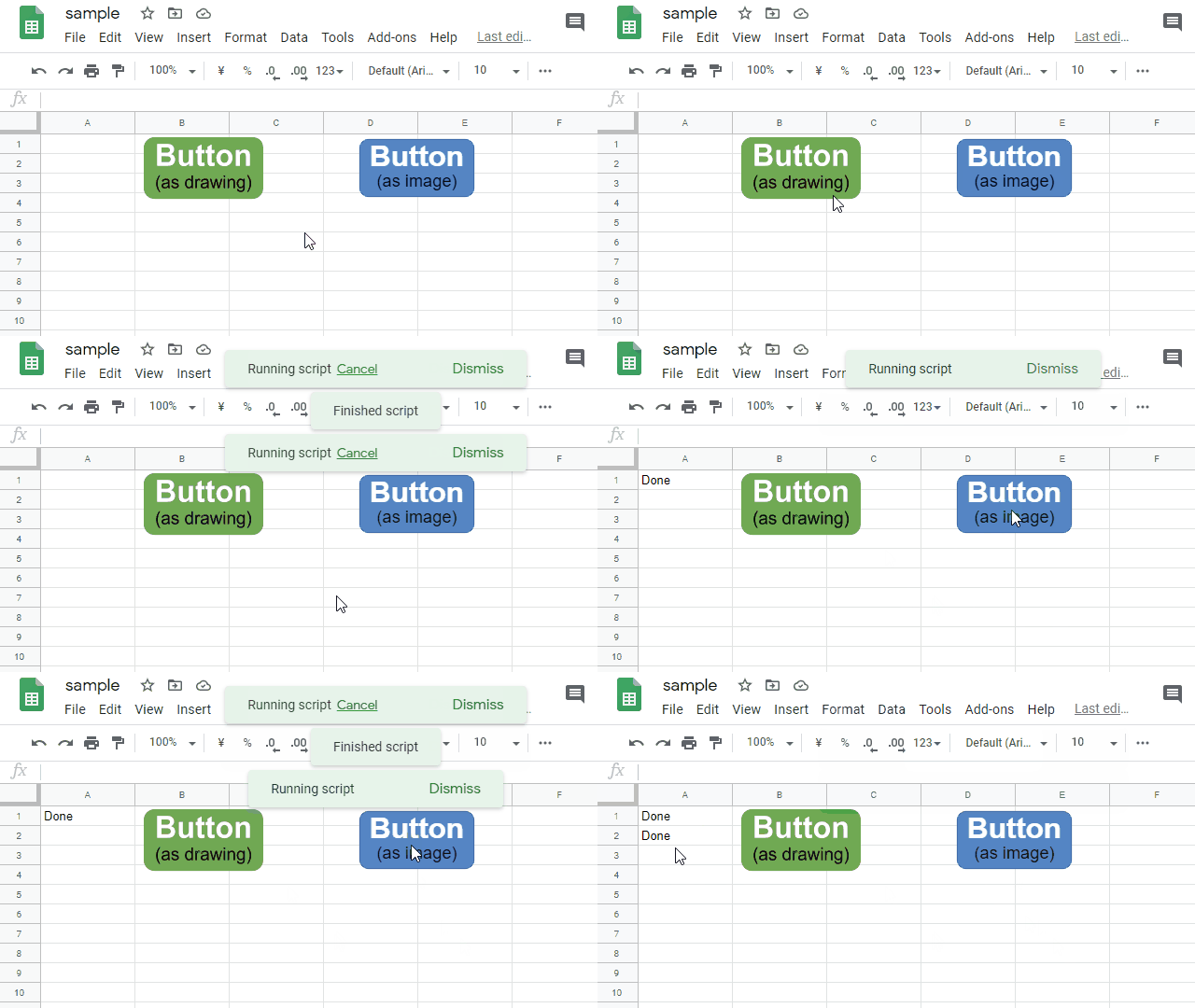
This is a sample script for disabling the buttons put on Google Spreadsheet using Google Apps Script. When a script is run by clicking a button on Google Spreadsheet, there is the case that you don’t want to make users run the script in duplicate.
Nice little Google Apps Script snippet that prevents a function assigned to an image or drawing in Google Sheets from being run simultaneously. The clever bit is the code uses Google Apps Script to modify the function assigned to the button/image when it is running.
With Creator Studio, you can easily convert your Google Slides presentation into animated GIFs and video slideshows. The add-on can also extract speaker notes from your slides and export them as a text file in Google Drive. Internally, the app uses Google Apps Script to export Speaker Notes from your Google presentation and writes them to a text file inside Google Drive.
In this post Amit Agarwal share some very clean code for iterating across each slide in Google Slides and export the speaker notes into a single file. Click through to the post for the source code.
Kanshi Tanaike is a prolific Google Apps Script developer and we’ve often featured solutions are reports that Tanaike has shared. With this in mind Tanaike’s list of Google Apps Script resources is well worth a browse.