While working on Sheets Workbook functions – converted to Apps Script I realized that I’d need to tackle the query language at some point, so I figured I may as well go the whole hog and implement a comprehensive SQL variant for Apps Script. Luckily though, I found alasql so with a few tweaks it was ready to go!
A couple Google Apps Script community contributors have shared solutions for using the AlaSQL.js library. Latest come from Bruce Mcpherson, which is included as the source link. If you use Bruce’s fiddler library his post is worth checking out as he provides examples showing how both libraries can be used together. Another version of AlaSQL.js you should look at is Alex Ivanov’s AlaSQLGS which also includes some data and code samples.
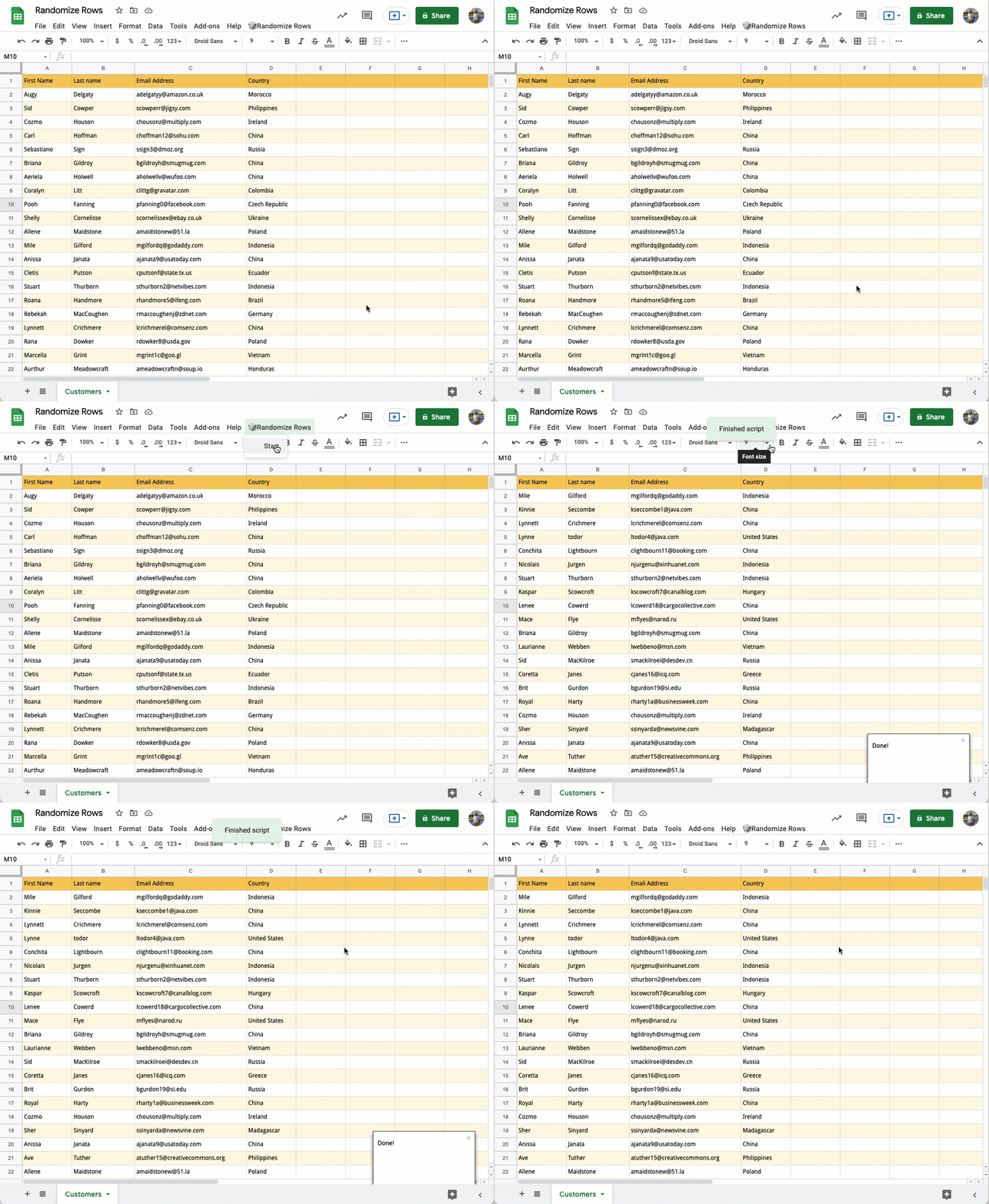
Learn how to sort your data in a Google Sheet in randomized order using Excel formulas and Google Apps Script.
Nice little snippet from Amit Agarwal which includes some Google Apps Script code for randomising the order of rows in Google Sheets. The code has some clever use of .autoFillToNeighbor(), .offset() and .sort().
More technically, this library can be used to send http requests via UrlFetchApp.fetch or UrlFetchApp.fetchAll, interacting with api endpoints in raw form. By bringing it down to a lowest layer on this platform, you get the following benefits:
All of the options, features, and abilities that are available. No compromises.
Ability to batch the requests in bulk. Performance can be significantly improved and run times lowered.
If you’re looking for a way to duck under the 6 minute limit to your scripts, the last bullet point should be particularly interesting.
Keep up to date with any feed by having new posts published to a Google Chat room using Apps Script and Webhooks. Feeds included in this example are various official Google blogs.
This is a nice solution developed by Justin Wexler which provides an easy solution which can monitor a list of blogs and post any updates to a Google Chat room. The source post provides more detail on setup and how to use the code with your own Google Chat rooms. The code also provides a useful pattern for monitoring updates from RSS feeds.
Welcome to the developer form for Google Workspace. … I am hoping this will become a great space for sharing developer tips and tricks amongst each other.
Google Cloud Communities is a space hosted by Google designed to allow people using Google Cloud technologies to “meet industry peers, ask questions, collaborate to find answers, and connect with Googlers who are making the products you use every day”. There is now a new Google Workspace Developers space where you can:
“Connect with other Google Workspace Developers, the Google Workspace Developer Experts (GDEs) and the Google team to share and learn from each other”
The new discussion space includes an area to highlight relevant events and will be run to supplement discussions and connections in existing forums.
In a conversation with YourStory, top tech blogger Amit Agarwal shares the secrets to building a global content business from Bharat.
Many of you will no doubt seen and used Amit’s Google Apps Script contributions published on labnol.org. This interview with Amit is an opportunity to hear/read more about his background and motivations.
With Apps Script, you can do cool stuff like automating repetitive tasks, creating documents, emailing people automatically and connecting your Google Sheets to other services you use.
This Google Apps Script introductory post from Ben Collins has been around for a while, but worth keeping in the old link locker as it summarises lots of useful information and links. Click through to the source for more details.
In large organizations, it’s overwhelming for admins to find inactive users in the User List of Google Admin Console. These inactive users have not been logged in their Google accounts for a long period. It imposes a potential security risk to the organizational data if these accounts are not taken care of. A free apps script to print all inactive users in Google Workspace. The following open source Google Apps Script can automate the process of printing inactive users in your domain.
Nice little snippet from xFanatical. Check out the source link for all the code and instructions for using.
In this episode of Totally Unscripted we are joined by Jay Lee, creator of Google Apps Manager (GAM). GAM is an open source command line tool for Linux, MacOS and Windows which allows administrators to easily manage domain and user settings in Google Workspace. GAM is particularly useful for running bulk operations running commands in parallel from a text or .csv file. This episode will be an opportunity to find out how you can start automating your Google Workspace administration as well as some of the newer GAM features including creating a GAM powered Google Chat Bot.
Join the conversation on Thursday 15 July 2021 at 1200 PDT / 1500 EDT / 2000 GMT+1 – https://youtu.be/7lPGbScRNk8
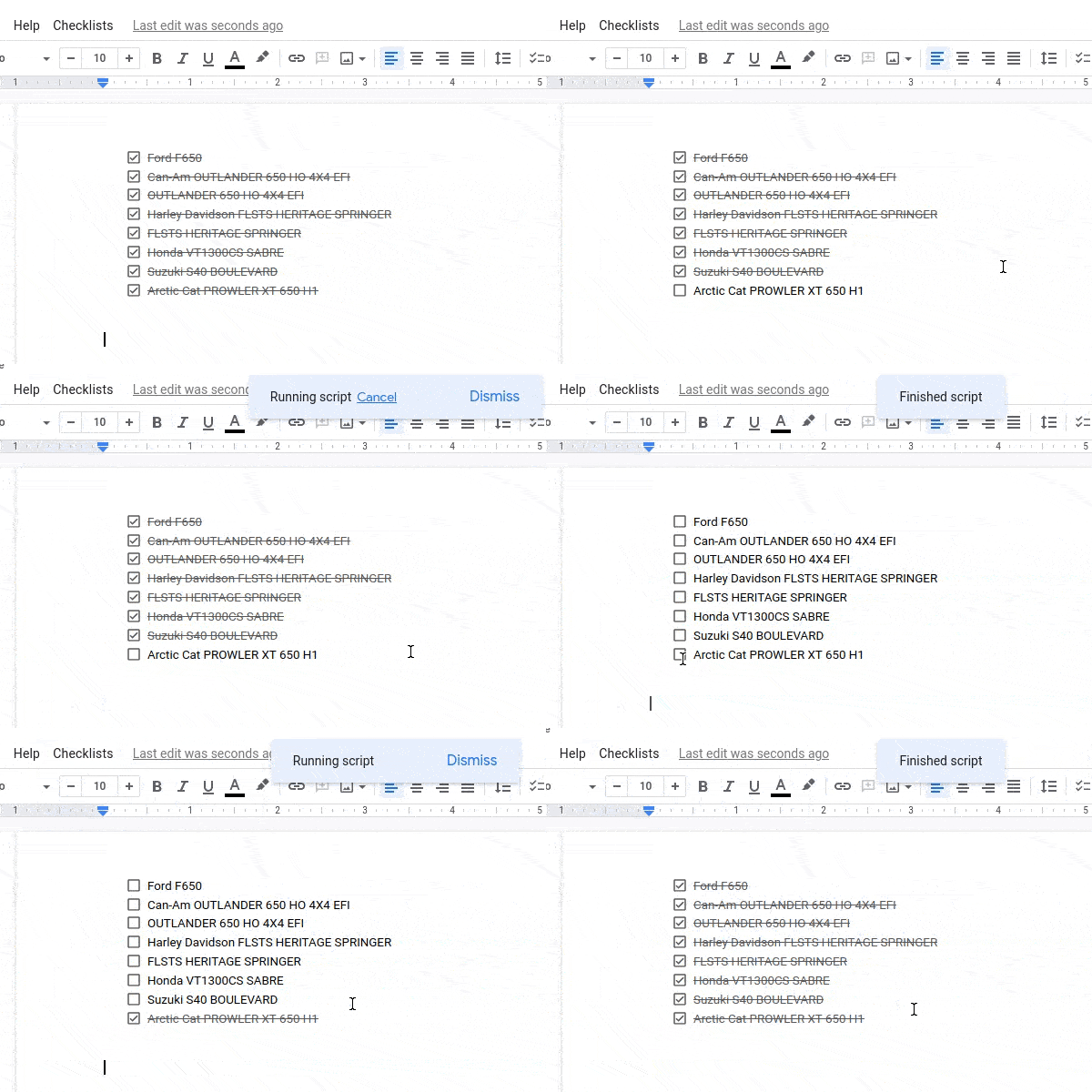
Currently it is unknown if the checklist can be manipulated in Docs. Clark Lind suggests to replace a list item with a copy of one of them (which is in expected state – check/uncheck)
A nice example of the Google Apps Script developer community helping each other out. In this case Alexander Ivanov was looking for a way to interact with the new Google Docs checklist feature. A direct way to interact with these isn’t possible but some clever coding from Alex demonstrates what is currently possible.