Those familiar with Google Sheets will probably want to know how this is different to the built-in QUERY() function, the answer is this is add-on enables a full SQL. Following the source link gives information on how to access this add-on.
The script emails you a customized report to flag issues with your chosen account settings, preventing potential Google Ads catastrophes.
[Editorial note: Google Ads script is a variant of Google Apps Script designed to let you control your Google Ads. Google Ads script uses it’s own online IDE but is similar in terms of being an authenticated environment and able to connect with other Google products as well as external data.]
Semrush.com in my opinion, is one of the best SEO tools on the market. I especially love their API and the data they provide. I also live in Spreadsheets, so I decided to combine the two in this project.
From now on, you’re only an Excel (Google sheets) formula away from some of the best data in the industry.
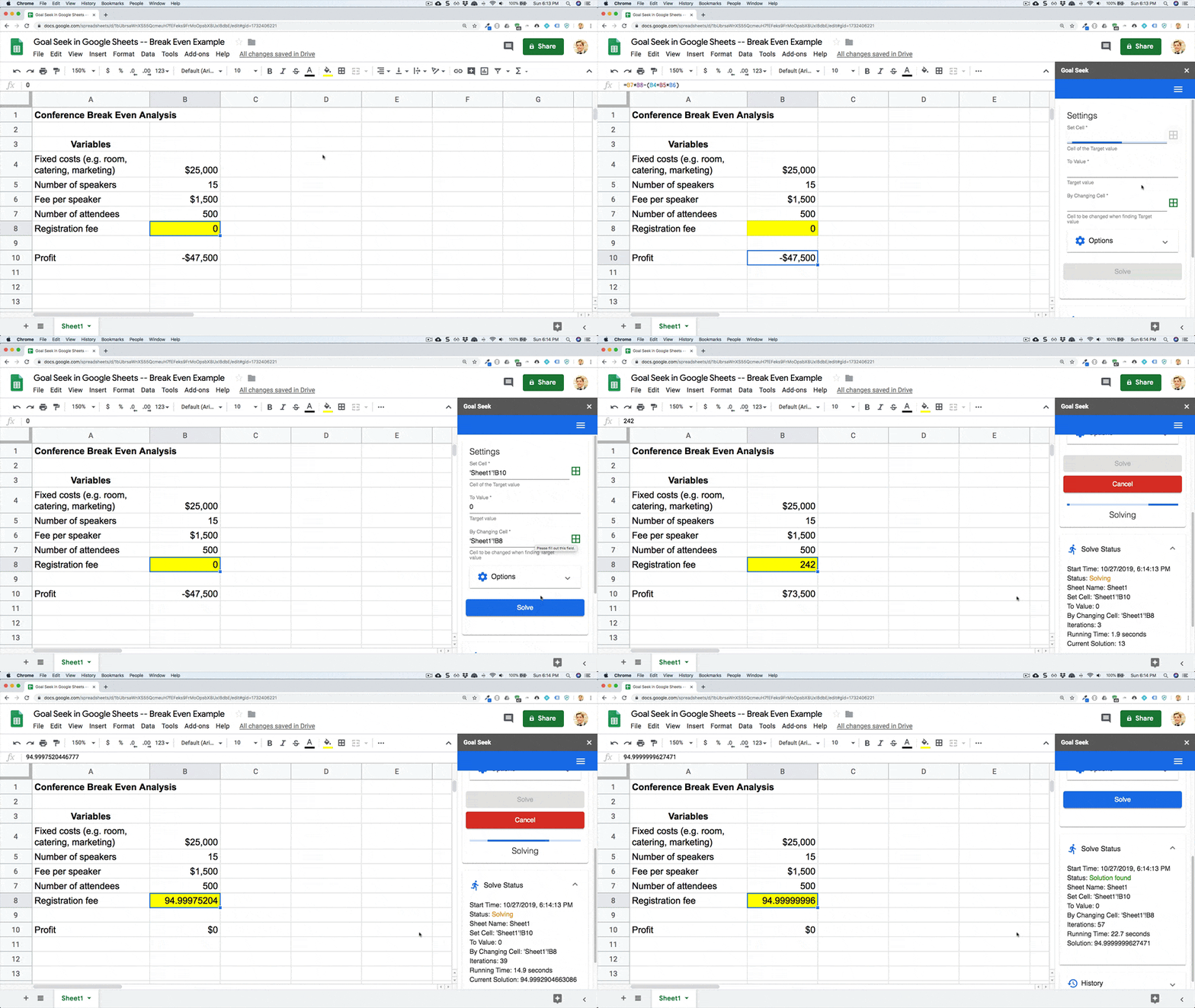
Learn how to use Goal Seek in Google Sheets. The Goal Seek feature enables you to change input values to make a formula result match the goal you specify.
We’ve highlighted the new Goal Seek Add-on previous in Pulse, but if you missed it or wanted to see some more practical use cases Ben Collins has expertly covered how to setup and use it.
🗺️ Develop Locally:clasp allows you to develop your Apps Script projects locally. That means you can check-in your code into source control, collaborate with other developers, and use your favorite tools to develop Apps Script.
The Apps Script IDE is great, but with larger projects, I know I’ve wanted to be able to use a more powerful IDE. clasp (Command Line Apps Script Projects) is a CLI that allows you to start, write, test, and deploy Apps Script projects from any text editor you want.
Today I’m going to show you how to automatically add Meetings/Events data from Google Sheets into a Google Calendar. This trick came really handy for me so I hope this will serve you the same.
How to automatically add Meetings/Events data from Google Sheets into a Google Calendar.
I’ve not come across ManyChat, a service to build chat bots on Facebook Messenger, but they have free account options. In this demonstration by Gilbert Mizrahi (@GilbertMizrahi) you can learn how ManyChat can be used with Apps Script to update data in a Google Sheet row.
launching sphygmobot – a human “heartbeat” checker telegram bot that pings you every 24 hours to see if you’re alive and notifies someone in case your response fails.
Another really interesting post from Sourabh Choraria this time looking at making a Telegram bot using Google Apps Script. You can also find SphygmoBot on ProductHunt and also browse the source code on GitHub.
This post will be mostly about how to use GAS as a data-driven, responsive website, with the Physics Problem Database really just the example Andy Rundquist (@arundquist) put together to show things.