16 secrets tips, tricks and features for new Google Apps Script Editor (v2020)

Google Apps Script has a new editor, which is better, nicer, and completed ready for future new features. Today, I would like to introduce you to several dirty and secret tricks, what you can do.
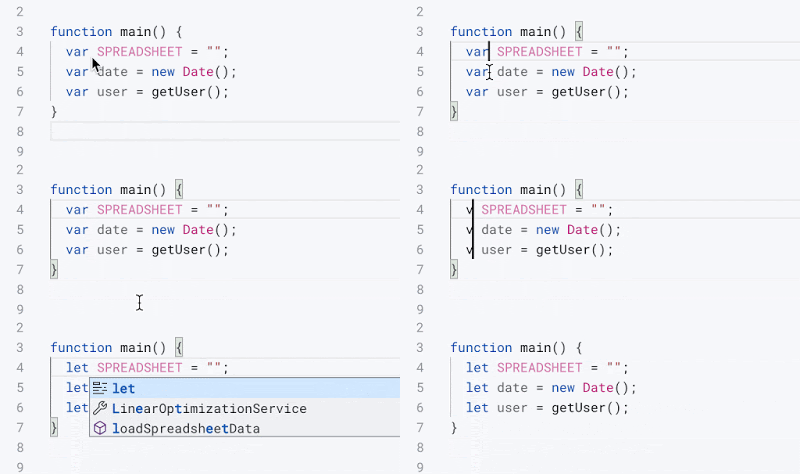
If you like a keyboard shortcut you’ll love this post from Ivan Kutil! For those less keen on keyboard commands there is still plenty of other productivity tips from Ivan shared in this post.

Source: 16 secrets tips, tricks and features for new Google Apps Script Editor (v2020)

Get ready to up your Apps Script! – Google Developers Blog

The new Apps Script IDE features the same rich integration with Google Workspace as it did before, allowing you to get started building solutions without having to install or configure anything. If you are working on a standalone script project application, you can use the Apps Script Dashboard to launch your project directly, or if you are working on a container bound project in Sheets, Slides or Docs, you can do so from selecting Tools > Script editor from their top menus.

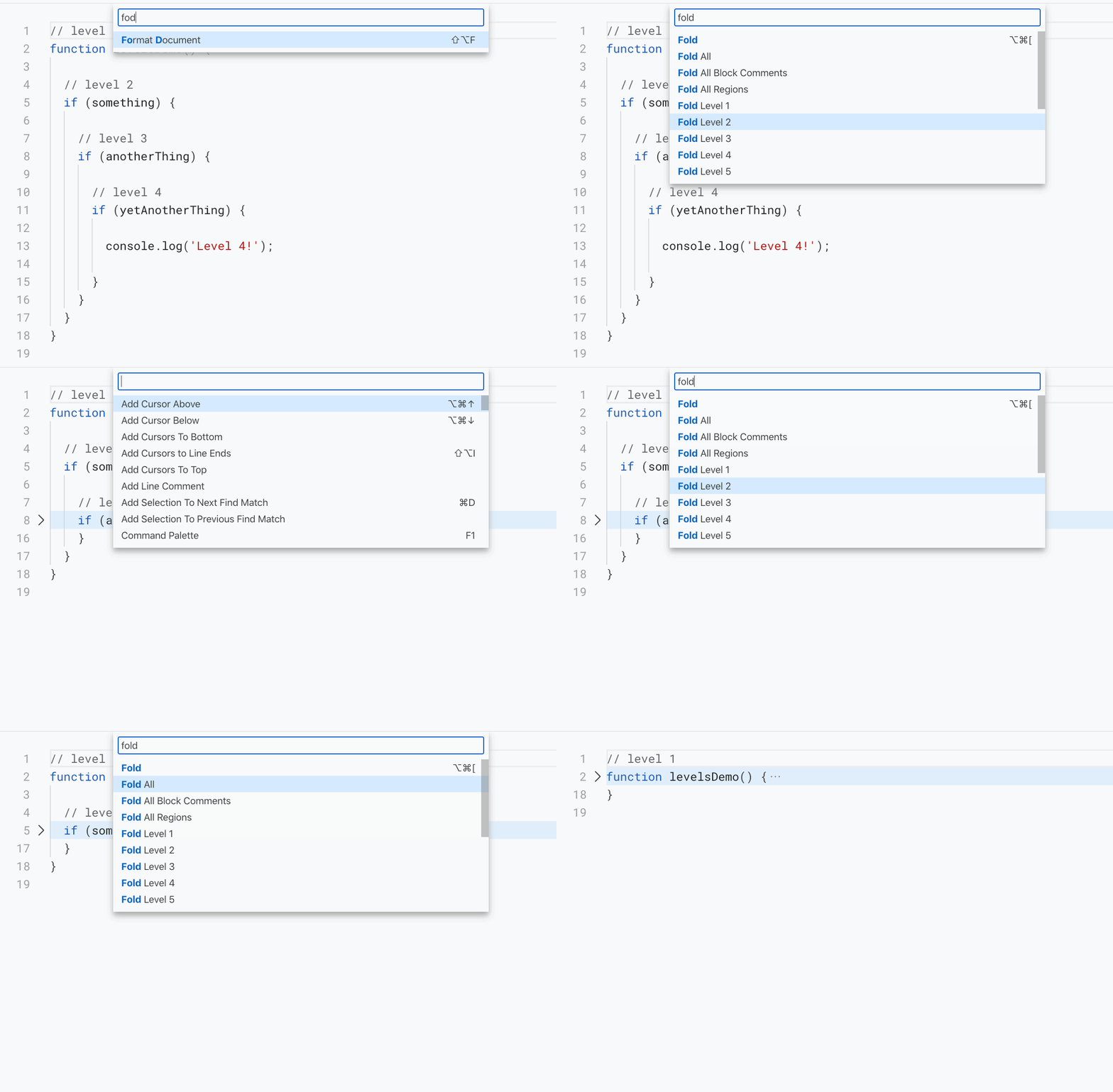
Charles Maxson, Developer Advocate Google Cloud, has highlighted some features Google Apps Script developers new and old should keep an eye out for. I think one of the big ones for experienced Apps Script developers who work mostly in the online editor is going to be the context menu options and the Command Palette. Find out more in the source post.

Source: Get ready to up your Apps Script! – Google Developers Blog

How to get the most out of the new Google Apps Script debugger and logging

Building and maintaining code can be hard. There are multiple phases in the livecycle of the code, each phase with its own challenges. Being able to easily retrieve information about the execution of your code in each phase is key. This is where the new Google Apps Script IDE debugging and logging features can help. In this article I will show you what you can do with the new debugging and logging features.

Some great tips from Jasper Duizendstra on using the logging and debugging features of the new Apps Script IDE.

Source: How to get the most out of the new Google Apps Script debugger & logging

Guide To The New Google Apps Script IDE Covering 135 Features

Explore the fantastic new Google Apps Script IDE and see features that will make your life easier, whether you’re a beginner or pro developer.

Ben Collins can never be accused of slacking off and this post is the perfect example. As announced on Totally Unscripted the new Apps Script IDE is rolling out and Ben lists 135 features for developers to look out for. View the source post for these features plus a video of Ben highlighting his favorites.

Source: Guide To The New Google Apps Script IDE Covering 135 Features

Finding Merged Cells In Your Google Sheet using Apps Script (And When To Be Careful)

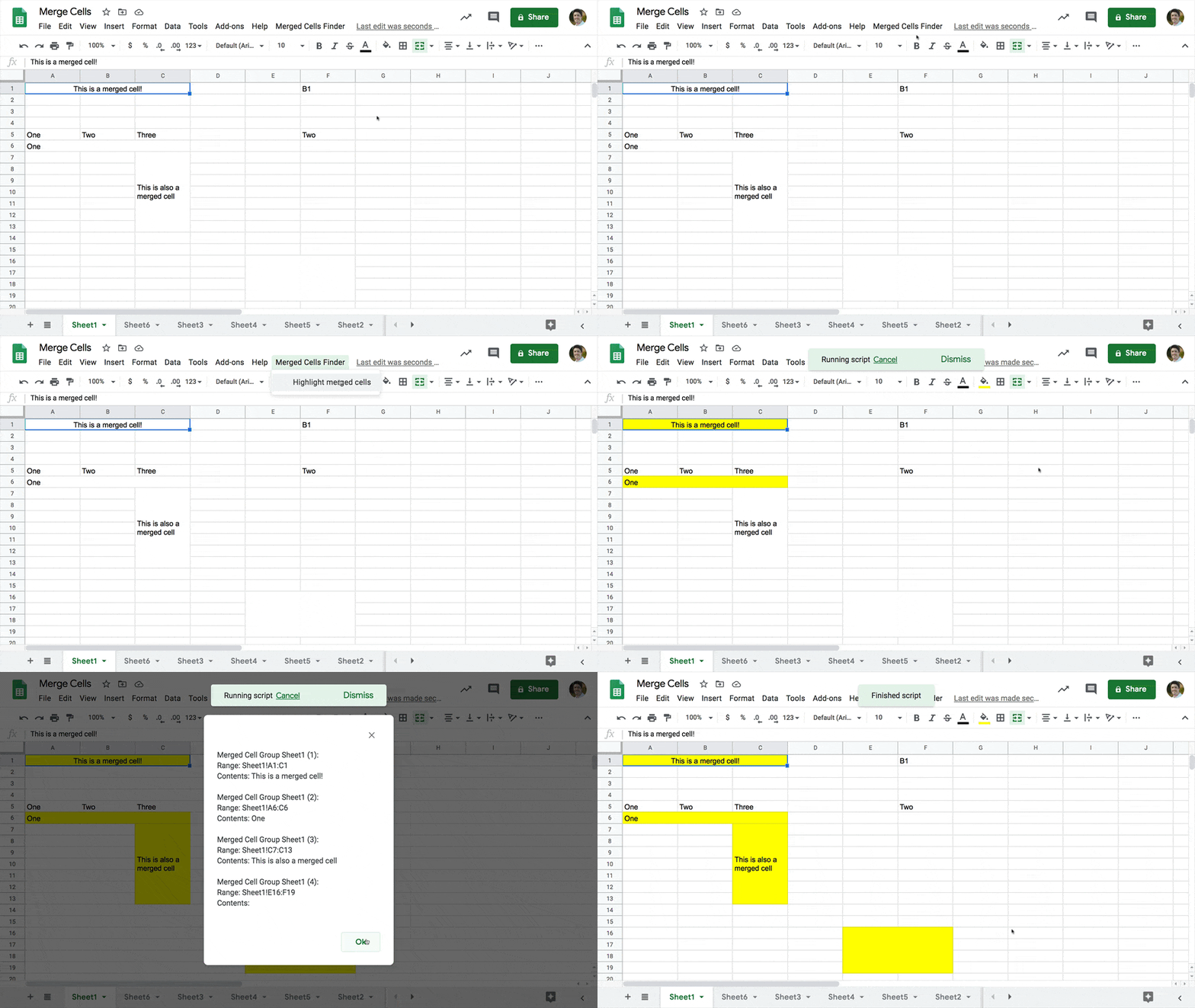
Learn how to merge cells in Google Sheets, when to use them and when to avoid them [and] finding merged cells in your Google Sheet using Apps Script

Some very useful guidance from Ben Collins on merged cells within Google Sheets. As well as how to merge/unmerge cells Ben also highlights some of the pitfalls when merging cells. The post also includes a very useful snippet for detecting merged cells using .getMergedRanges().

Source: How To Merge Cells In Google Sheets And When To Be Careful

How to Share User Properties between Google Apps Script Projects – Digital Inspiration

The Properties Service of Google Apps Script is used by developers to store app configuration and user specific settings. The properties data is scoped to a specific user, or a specific project, and cannot be shared between different projects. … In some specific cases, we may want to give access to our store data to another user so they may build upon the existing configuration rather than having to build everything from scratch.

Amit Agarwal shares a useful snippet for letting users export and import data from PropertiesService. There are some nice touches in this solution including using the JavaScript File Reader API.

Source: How to Share User Properties between Google Apps Script Projects – Digital Inspiration

How to Create JSON Web Token (JWT) with Google Apps Script – Digital Inspiration

You can use Google Script to create JSON Web Tokens (JWT) that can be provided to secure routes so that only authenticated requests that contain a valid token can connect to the APIs (e.g., the Zoom API)

Nice little snippet from Amit Agarwal for both creating and decoding JSON Web Tokens (JWT).

Source: How to Create JSON Web Token (JWT) with Google Apps Script – Digital Inspiration

Creating an embedded interactive Chain Story app with Google Apps Script and Google Sheets – Yagisanatode

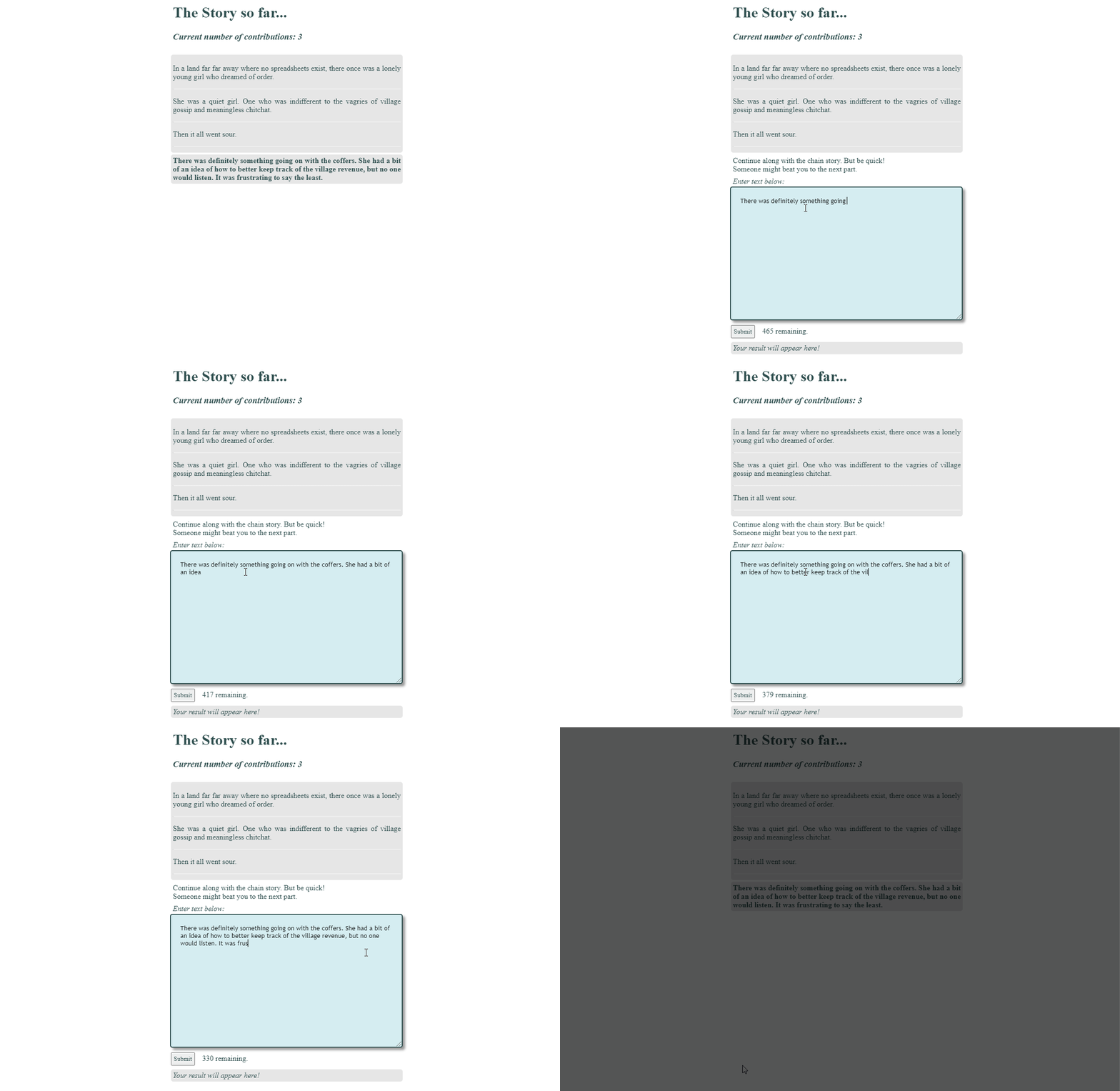
In this tutorial, we are going to create an interactive story chain app that we can embed into a Google Site or your own site like WordPress.

Yagi uses a simple but very effective interactive story chain app to explore and explain some very powerful Apps Script functionality all developers should know about. This includes using the LockService which can be used to prevent concurrent access to sections of code. Yagi also highlights some recent discussions around the limitations of Web Apps and concurrent users. Click through to the source for all this and more.

Source: Creating an embedded interactive Chain Story app with Google Apps Script and Google Sheets – Yagisanatode

Alexa Rank Tracker built in Google Sheets with formulas and Google Apps Script – bencollins.com

Tutorial on how to build an Alexa Rank tracker in Google Sheets, using the powerful IMPORTDATA and REGEXEXTRACT functions and Apps Script.

Clever post from Ben Collins highlighting how Google Sheets functions can be used to scrape Alexa tracking data. As a bonus Ben includes a little snippet of Google Apps Script to let you archive data over time.

Source: Alexa Rank Tracker built in Google Sheets with formulas and Apps Script

Check Twilio Balance using Google Apps Script

In this post, we will learn how to check the Twilio Balance using Apps Script and send an email to the user when the threshold level meets.

Nice post that introduces interacting with the Twilio service using Google Apps Script. The post includes lots of useful screenshots and illustrations to help you create you own billing alert system.

Source: Check Twilio Balance using Apps Script