SheetsCon 2020 was the world’s first, dedicated online conference for Google Sheets users on 11th – 12th March 2020.
We had 11 world-class experts talk about how they craft solutions using Google Sheets and G Suite.
Over the course of two jam-packed days, we had everything from deep-dive tutorials on specific topics to cutting-edge solutions across different industries. We had 1-on-1 networking opportunities, roundtable discussion rooms with other professionals and an Expo Hall with vendors at the forefront of the Google Sheets movement.
Listen to all the replays and access all the templates when you enroll for free.
Whilst this was Google Sheets focused there are a number of sessions that cover Google Apps Script and G Suite Add-on development. As well as the replays there are a number of linked resources you can also use.
The bounced email report for Gmail lists all the email address that bounced. It also provides the response provided by the recipient’s server for rejecting your email.
Nice script example shared by Amit Agarwal for getting a bounced email report from your Gmail account.
Nice little script snippet from Mariette Timmer which takes a .csv file with latitude/longitude points and plots them on a Google Map and sends the resulting image embedded in an email.
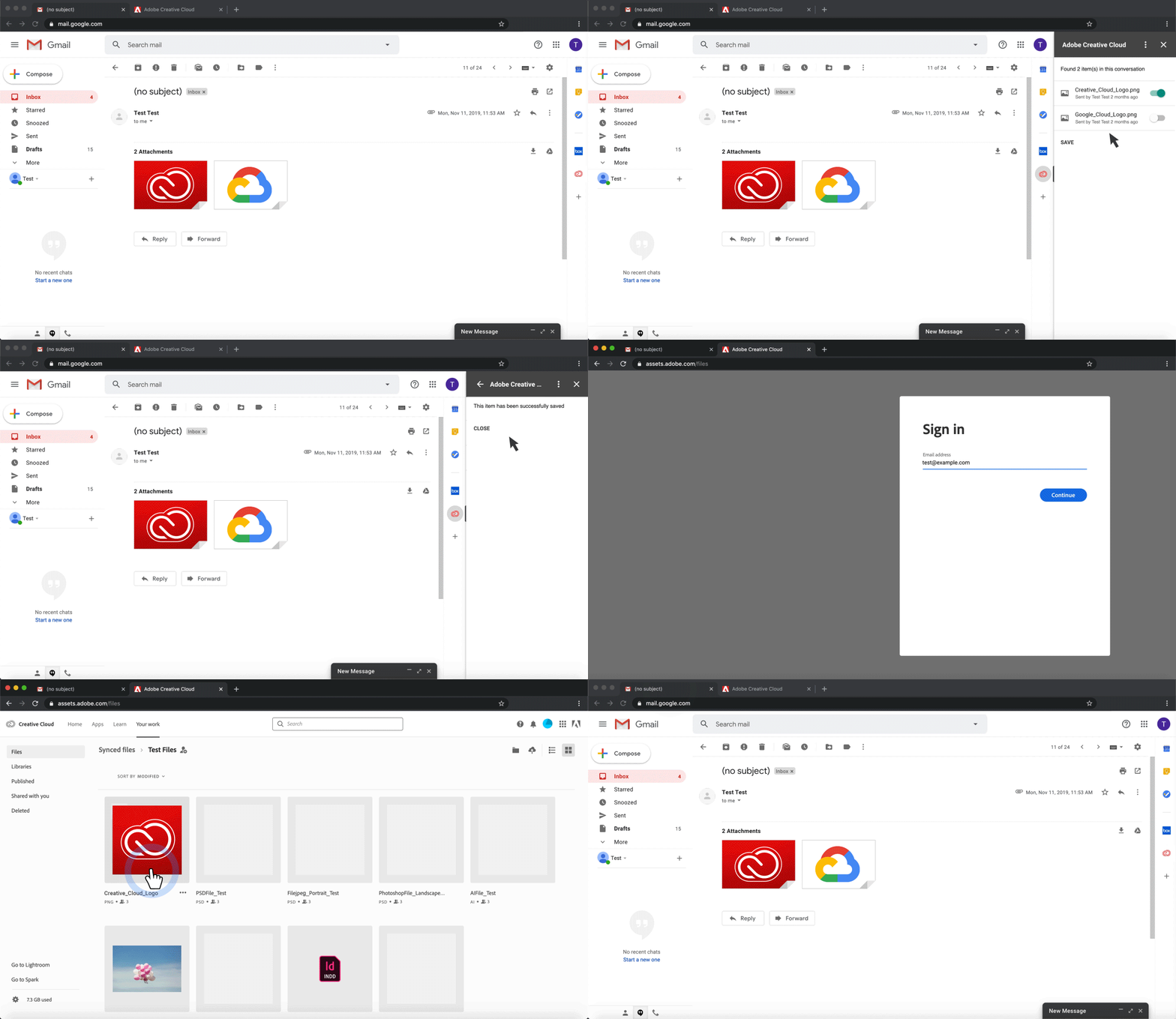
Back in January, Google widely launched G Suite Add-ons to allow third-party integrations across products like Calendar and Drive. Adobe today announced a plug-in that lets Gmail users quickly access Creative Cloud.
“While new collaboration channels are all the rage, business email is actually on the rise with individuals sending and receiving more emails every day. Bringing Creative Cloud into G Suite enables our mutual user base to simplify routine tasks while staying productive in their inbox,” says Sid Arora, Product Manager, Adobe Creative Cloud.
Always nice to see well established third parties using Google Apps Script.
Two years ago, our team began building custom software to automate the multi-stage and highly manual team staffing process. Building internal software has allowed the same-size Staffing Operations Team (3 members!) to enjoy a 60x reduction in time spent staffing each role.
The Apps Script ecosystem has emerged as the most critical component in our toolkit for building this internal software, due to its versatility and ease of deployment. We want to share how one piece of the staffing process has evolved to become more powerful over time thanks to Apps Script. Ultimately, we hope that sharing this journey enables all types of teams to build their own tools and unlock new possibilities.
A bit of a monologue about various syntax changes and adjustments in learning and using the tool.
Great post from Adam Morris (@clssrmtechtools) aimed at Google Apps Script developers wanting to start coding with the more modern JavaScript syntax used in V8. Adam shares lots of great advice to get started and build upon.
On the G Suite YouTube channel you’ll find a new playlist for “why organizations build with Google Apps Script” which contains contributions from Cleo Espiritu, Ivan Kutil, Niek Waarbroek and myself. Hopefully these clips are useful in encouraging users to look at Google Apps Script as a powerful and agile development solution.
One of the key things that V8 has sorted out is the scope of variables. Using var to declare variables meant that anything declared within the scope of a function could easily be accidentally overwritten, causing hard to track down errors. ES6 (since it’s commonly known as V8 in Apps Script – I’ll be referring to it as V8 from now on), has added const and let to the variable declaration vocabulary to help prevent these kind of problems.
With the introduction to the new Google Apps Script V8 runtime new opportunities are available for writing clean and robust code in the script editor using modern JavaScript syntax. In this post from Bruce Mcpherson you can learn some of the basics of var, const and let.