Did you know? We’re offering 20% off registrations for our FIRST public AppSheet no-code-along! ⭐️
With AppSheet, you can simplify business processes without ever needing to write a single line of code. This can help you out if you have users managing data on mobile devices, getting lost in spreadsheets, or even still using pen and paper!
Our two part course will include hands-on experience of building a simple app alongside our in-house expert Martin Hawksey as well as covering all the basics you need to get your creative juices flowing!
Don’t sleep on it, this offer is only available until the end of March. Sign up today to secure your discount
If you are still unsure where to start with Google’s no/low code platform, AppSheet, on 3 + 5 May I’ll be joining Tim McLardy to help you get started on your journey as part of our two part ‘no-code along’. There is a discount if you register in March and Tim and I will be working extra hard to make sure you get the most out of the session.
Get the lowdown on the 11 new analytical functions introduced to Google Sheets in 2023, including LET and array manipulation functions.
For developers Google Sheets is becoming an increasingly rich playground. Features like the SQL like QUERY function have enabled users to do more with their data. More recently Google have released a range of new functions which I’m sure many developers and power users will be able to relate to. New functions like EPOCHTODATE, LET as well as other recent additions like MAP and REDUCE will be familiar concepts to many developers. In this post from Ben Collins the latest Google Sheet functions are reviewed.
As the way we work continues to change, the need for no-code and low-code tools that enable hybrid work and empower the workforce across all industries is on the rise. The democratization of software creation is also gaining ground within organizations, and by 2024 more than 65% of applications will be developed by low-code tools.
I was late to AppSheet, my journey only really starting in May 2022. Like all platforms, even no/low-code, there is a bit of a learning curve to get your head around how it works, but once you do there is a world of opportunities for a wide range of users. Even for seasoned developers features like the Apps Script integration and AppSheet API mean there is plenty of scope to extend the capabilities of AppSheet.
This post from Google provides some useful reference cases, evidencing the impact the platform has had on a range of customers as well has highlighting some recently developments in the AppSheet platform including the opportunity to deploy AppSheet powered Google Chat apps.
At CTS, where I work, we have a range of services to support AppSheet adoption ranging from hackathons, training and development. Feel free to get in touch if you would like to find out more.
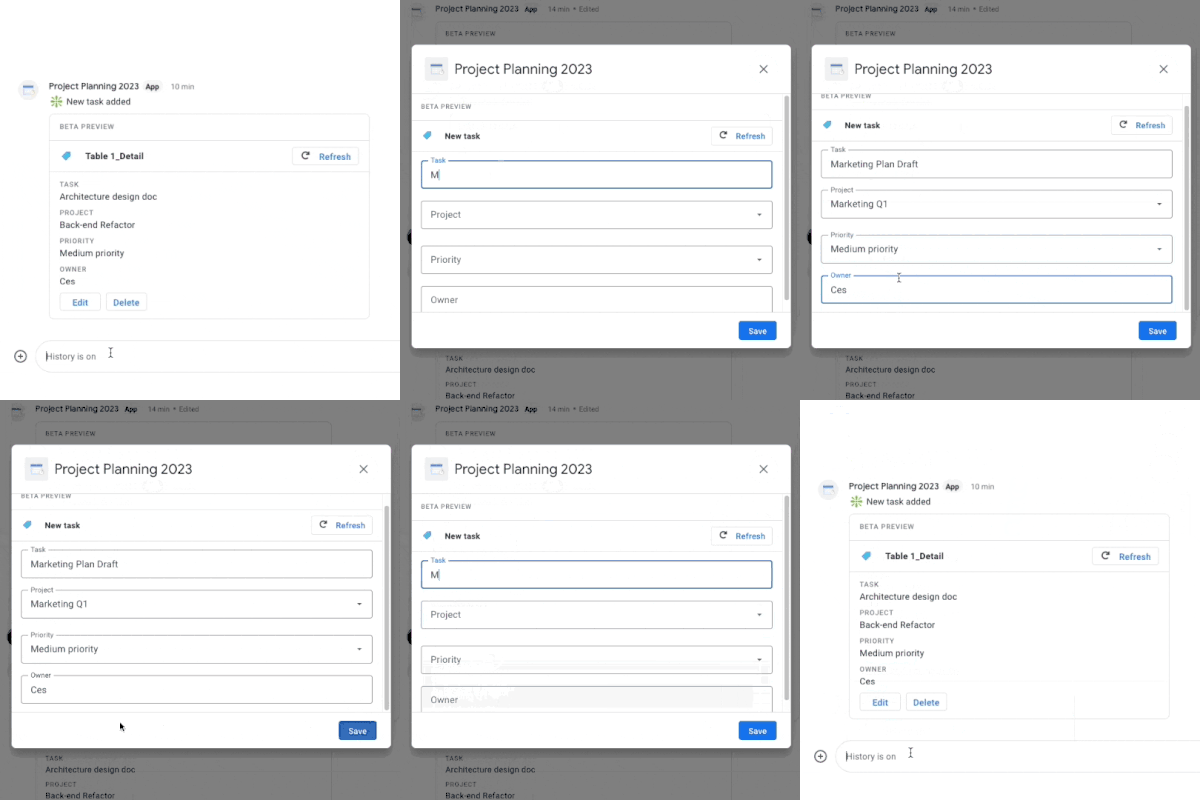
We’re happy to announce that AppSheet-powered no-code chat apps are now available in preview for Workspace customers in AppSheet!
You can access this feature right now if you are in the Preview Program, and you can provide any feedback in this thread. If needed, additional information can be found in our help center articles. We’re targeting a full launch for later this year.
I’ve been spending a fair bit of time in Google’s ‘no-code’ platform AppSheet. Even for developers there is plenty to get your teeth into with features like Apps Script integration. One of the incredibly powerful core features of AppSheet is the ability to send dynamic emails which include forms designed in AppSheet. These allow users to interact with your app without leaving their inbox.
Whilst the inbox dominates in many business sectors, support for frontline workers increasingly leans on other communication channels including Google Chat. With the announcement of AppSheet powered no-code Google Chat apps there is now an opportunity to also push dynamic forms, send data and interact with Chat users in that space. For developers there is also the opportunity to do even more with the Apps Script integration. Follow the link to the announcement post to find out more…
I’ve seen a couple of proof of concept solutions for AI generated Google Apps Script code, but this one is the most well developed I’ve seen to date. The AutoScript Add-on isn’t fully verified so if you are trying this out I would recommend using disposable credentials (as a Google Workspace admin I created/used a Cloud Identity account). I’ve only done limited testing but was able to get the add-on to generate a functional Google Apps Script code snippet. Simultaneously both amazing and scary to think a chunk of what I do for a living could be replaced by one of our robot friends.
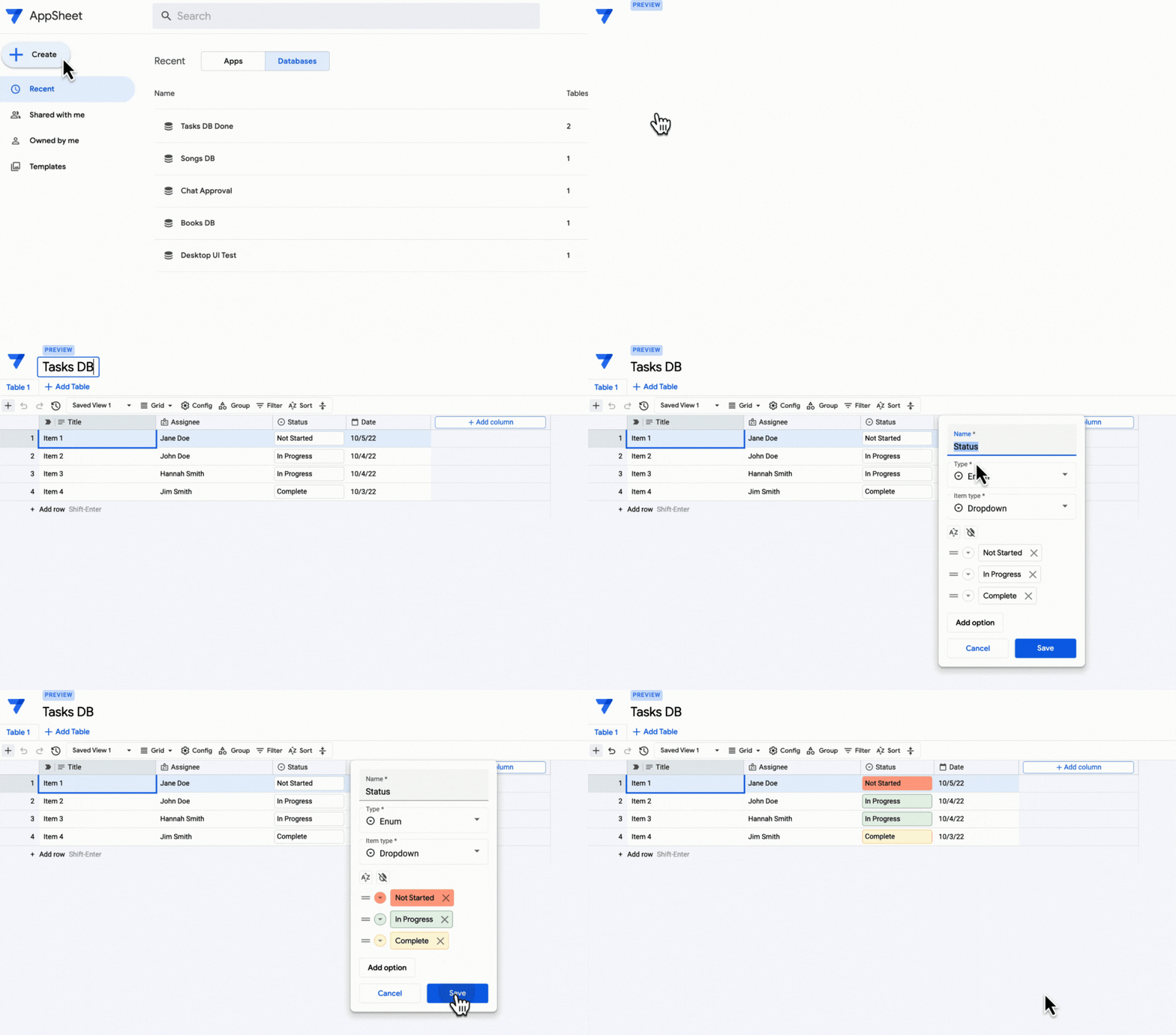
Over the past year, we’ve added more functionality to AppSheet, extending how it can maximize the power of Google Workspace through integrations with products such as Gmail, Google Drive and Apps Script. To improve the experience for app creators and users, we’re excited to introduce in public preview AppSheet databases, a built-in database for citizen developers to easily and securely manage their data.
During public preview, access to AppSheet databases will be enabled by default for everyone but it will not affect existing apps. Use of this feature in public preview will be included at no additional cost in your AppSheet subscription plan, but limited to 10K rows per table, 20 tables per database and 20 databases per user. Please note that these limits may change when the feature is generally available.
For people who tuned in to TU3.5: New workflow solutions with Tables and Google Apps Script back in 2020 AppSheet databases will look very familiar. Since that episode the Area 120 team behind the Tables beta moved into Google Cloud and specifically AppSheet.
The big question for me is whether AppSheet databases can find a sweet spot for citizen developers looking for something with more performance than a Google Sheet and easier to setup than a Google Cloud project. In public preview AppSheet databases are limited to 10,000, which interestingly is the same limit as the old paid version of Tables.
Ultimately this may however be less able size and performance but a data solution that the AppSheet team has full control, particularly removing a reliance on features developed by the Google Sheets team.
The Document Studio add-on helps you automatically send text messages when a new Google Form is submitted or when new rows are added to Google Sheets. You can thus build workflows that send text reminders when the invoices are due. Or you can get notified instantly when people fill out your Google Forms.
There was some speculation this week about how much revenue Amit Agarwal (Digital Inspiration) makes through his suite of Google Workspace Add-ons. I can neither confirm or deny the reported figures, but what I’m certain of is Amit is not only an expert developer but also clearly very talented at spotting opportunities and creating very slick user experiences.
This latest post from Amit is a case in point. No code, but plenty of screenshots demonstrating how users of his Document Studio add-on can integrate a SMS text service into Google Forms/Sheets. As this is achieved with a Webhook integration users aren’t limited to SMS services. Click through to the source link to see more screenshots similar to the one below:
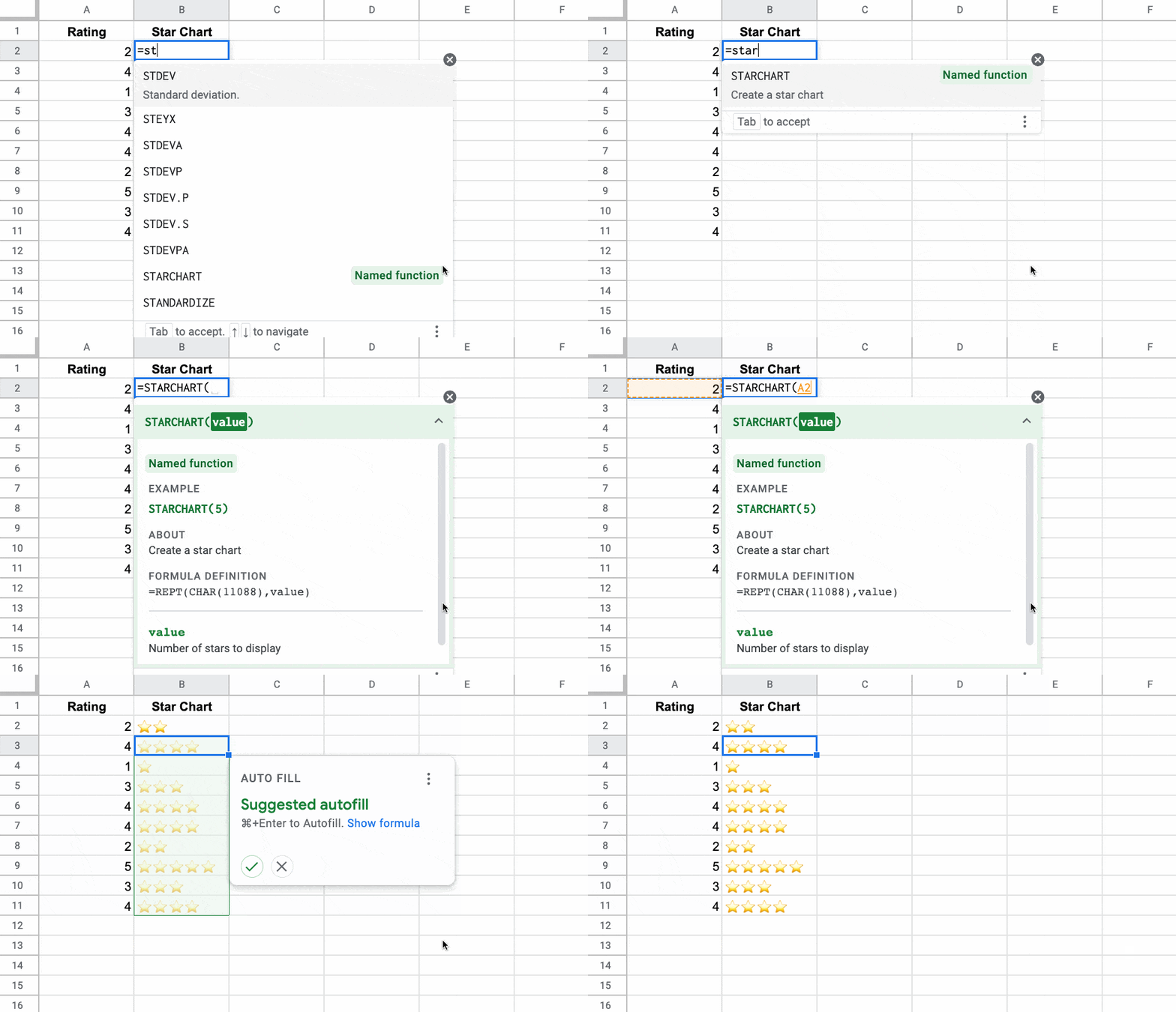
In August 2022, Google announced named functions and 9 other new functions in Google Sheets. Named Functions let you save and name your own custom formulas, built with regular Sheets functions, and then re-use them in other Google Sheet files. It’s a HUGE step toward making formulas reusable. Learn about them all here!
Ben Collins is incredibly talented at communicating technical information in a non-technical way. This post is a great example where Ben covers the latest Google announcement on 10 new Google Sheets functions. The two standout ones are Named Functions which lets you make your own reusable function of functions, and something I’m sure many MS Excel users would appreciate, XLOOKUP.
In this blog I am going to show you how to combine Google Apps Script with Google AppSheet to make automation even more powerful.
Whilst Google AppSheet is marketed as a ‘no-code’ development platform for coders there have been a number of ways to add some customisations to AppSheet apps. Previously webhooks were the main way you could do this, but the recent Apps Script connector for AppSheet makes it possible to call and if required pass parameters from AppSheet into custom Apps Script functions.
If this is something you would like to learn more about Aryan Irani has continued his AppSheet tutorial series on Medium with this post which goes through the step-by-step process for setting up and using Apps Script code in AppSheet. Click through the source link to find out more.
Recently, I got the chance of giving a training on Google AppSheet at O’Reilly Media, Inc. … This was a three hour long training where I talked about the basics of Google AppSheet and how to create apps on Google AppSheet.
Aryan Irani has shared a really helpful post with highlights from an O’Reilly Media hosted course he led focusing on ‘Developing Robust Applications with Google AppSheet’. The post links to a number of other tutorials Aryan has published on how to create various AppSheet based applications including an Expense Tracking App, Vehicle Inspection App, Inventory Management App and more. Aryan touches on how Google Apps Script can be used in combination with AppSheet. If this is a topic you are interested in Chanel Greco recently highlighted a Google I/O session on the topic.