A brief history of apps script capabilities – There’s been much coming and going over the past 10 years. Here’s a non-exhaustive list of some of the winners, and losers.
How to measure latency between Google Apps Script project (with UrlFetchApp) and Google Cloud Platform regions (e.g. if you are choosing region for GCP project)
At this year’s Google Cloud Next I co-presented a session entitled “How to grow a spreadsheet into an application,” where the thesis was that it’s OK to start with a spreadsheet and layer on additional technologies as you gain adoption and your requirements change. However that doesn’t mean that Sheets is always a great choice for storing your application’s data, and in this post I’ll explore some of the signals that you should be looking into other database options. Sheets are for people!
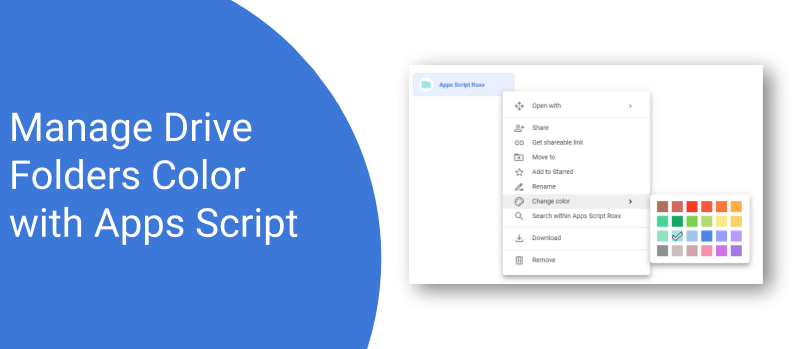
In Apps Script you can use the DriveApp service to manage your files and folders, but the methods getColor and setColor do not exist. You can use the drive advanced service to query the API directly but with recent change you will have to activate the Drive API in GCP and will need a GCP project. To have a smooth integration and skip the Google Cloud project creation here is a function to manage Folder color in Apps Script. These functions queries the API directly with UrlFetchApp() service.
Is there a Sheets or Excel file you and your team have been using that you find is not very user friendly and is very tedious to maintain? If so, learn how you can start managing the same data in App Maker by building your first simple app!
Custom functions have been in Google Apps Script since it’s public launch in 2009. These let you extend Google Sheets function list allowing you to create and share your own spreadsheet formula. This post provides some guidance on writing custom Google Sheet functions that can handle both single and range inputs



Send push notifications to Hangouts Chat users with Apps Script, do not react only to message sent.