use twilio’s authy with google apps script web app

make use of twilio’s totp [time based one time password] and push authentications using authy app and apps script for your web app.
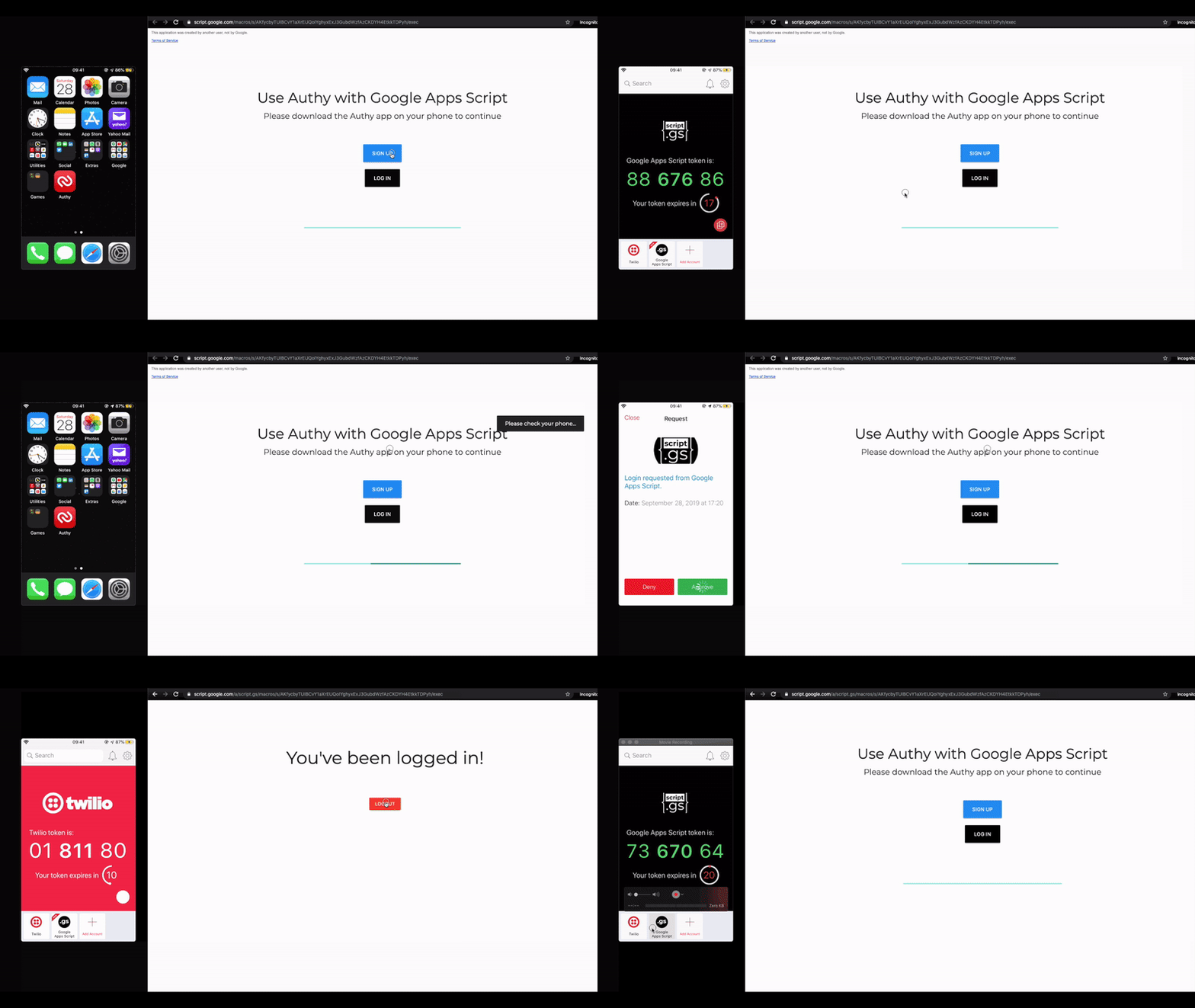
In this example script from sourabh choraria you can find out how you can use Twilio’s Authy service with a Google Apps Script Web App. Authy allows you to implement time based one time password authentication for your web app removing the need for username/password management

Source: use twilio’s authy with google apps script web app

Google Apps Script: How force subscribe Google Group Members to a Google Calendar for G Suite – Yagisanatode

Use Google Apps Script to get all the emails addresses of the members in a G Suite group, compare that against all the current members in the Calendar and add anyone who is missing

Google Apps Script, G Suite Admins, Google Calendar, Calendar API,  AdminDirectory, GroupsApp  Note! This article is for G Suite users and admins. You won’t be able to apply the same code to Consumer accounts.  Google Groups in  G Suite can be a really convenient and clean way to share users to drive folders and file locations, … Continue reading “Google Apps Script: How force subscribe Google Group Members to a Google Calendar for G Suite”


Source: Google Apps Script: How force subscribe Google Group Members to a Google Calendar for G Suite – Yagisanatode

Jobs | Sheets with Max Makhrov

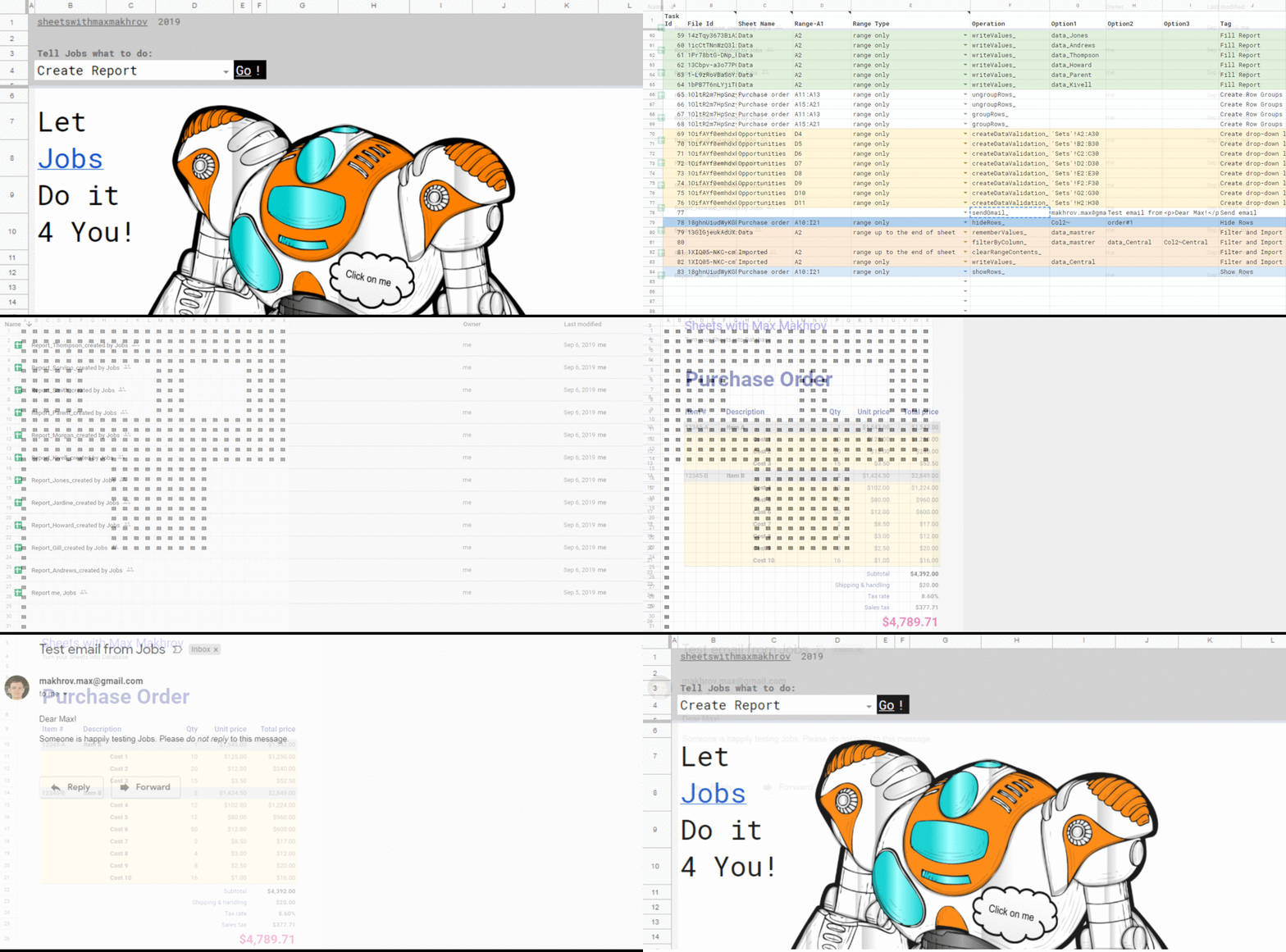
Jobs lets me set any tasks for Sheets: copy ranges, hide sheets, filter data, send emails.

Interesting script project from Max Makhrov for quickly creating automated Google Sheets tasks. The source code is available under a MIT licence and you can view/fork from Github.

Source: Jobs | Sheets with Max Makhrov

The problems I can solve with App Maker – Sheets to Apps – YouTube

Welcome to the Sheets to Apps Show, where we talk about how to tame endless spreadsheets into productive applications. App Maker is a tool that empowers a wide range of individuals in an organization to turn important processes that live in spreadsheets. Join us and see how App Maker can help you in your everyday tasks!

How to Automate Pagespeed Insights For Multiple URLs using Google Sheets – Moz

Calculating individual page speed performance metrics can help you to understand how efficiently your site is running as a whole.

In this post from James McNulty you can learn how to use Google Sheets and Google Apps Script to automatically check your website page speeds. As well as including everything you need to set this up James also shows how the results can be visualized in Data Studio

Source: How to Automate Pagespeed Insights For Multiple URLs using Google Sheets – Moz

Custom Formulas Made by Top Contributors

It’s been a while since we’ve posted updates on the Google Sheets Add-on “Formulas by Top Contributors”, but now the time has come around to make up for that !

Lots of other very useful utilities in this add-on which extends the formula/functions in Google Sheets including text matching with LEVENSHTEIN DISTANCE and JS_MAP & JS_SORT allowing you to include JavaScript syntax .sort() and .map()

Source: Made by Top Contributors

Google Apps Script: Google Standard Color Palette Picker for Sidebar and Dialog Boxes in Google Sheets, Google Docs and Google Slides – Yagisanatode


I wanted to update one of my free Google Add-on apps that works with colour. What I had is just the standard HTML color input element where the user selects from the palette and that hexadecimal colour code … had always wanted to create a tool for a sidebar or dialogue box that would allow the user to easily access the standard colours or use the custom palette provided by the HTML color input”

Continue reading this post to find out how you can implement your own copy of the colour picker

Source: Google Apps Script: Google Standard Color Palette Picker for Sidebar and Dialog Boxes in Google Sheets, Google Docs and Google Slides – Yagisanatode

Google Apps Script Patterns: Celebrating 10 years by revisiting mail merge/bulk emailing – MASHe

Over the last 10 years of Google Apps Scripts there have been a number of bulk email solutions shared by the community. This post revisits some of these examples and shares one of the latest examples from the GSuite Solutions Gallery

TL;DR A new solution for creating and distribute visually rich bulk emails with Gmail and Google Sheets.

Source: Google Apps Script Patterns: Celebrating 10 years by revisiting mail merge/bulk emailing – MASHe