Google Apps Script, Google Sheets, Javascript Have you ever wanted to have a Google Sheet available for only those users who need to edit and then once they are done, take their edit permissions away to maintain the integrity of the sheet? I know that I have come across these conditions a number of times … Continue reading “Google Apps Script: How to Add and Remove Editors to a Google Sheet based on Sheet Data”
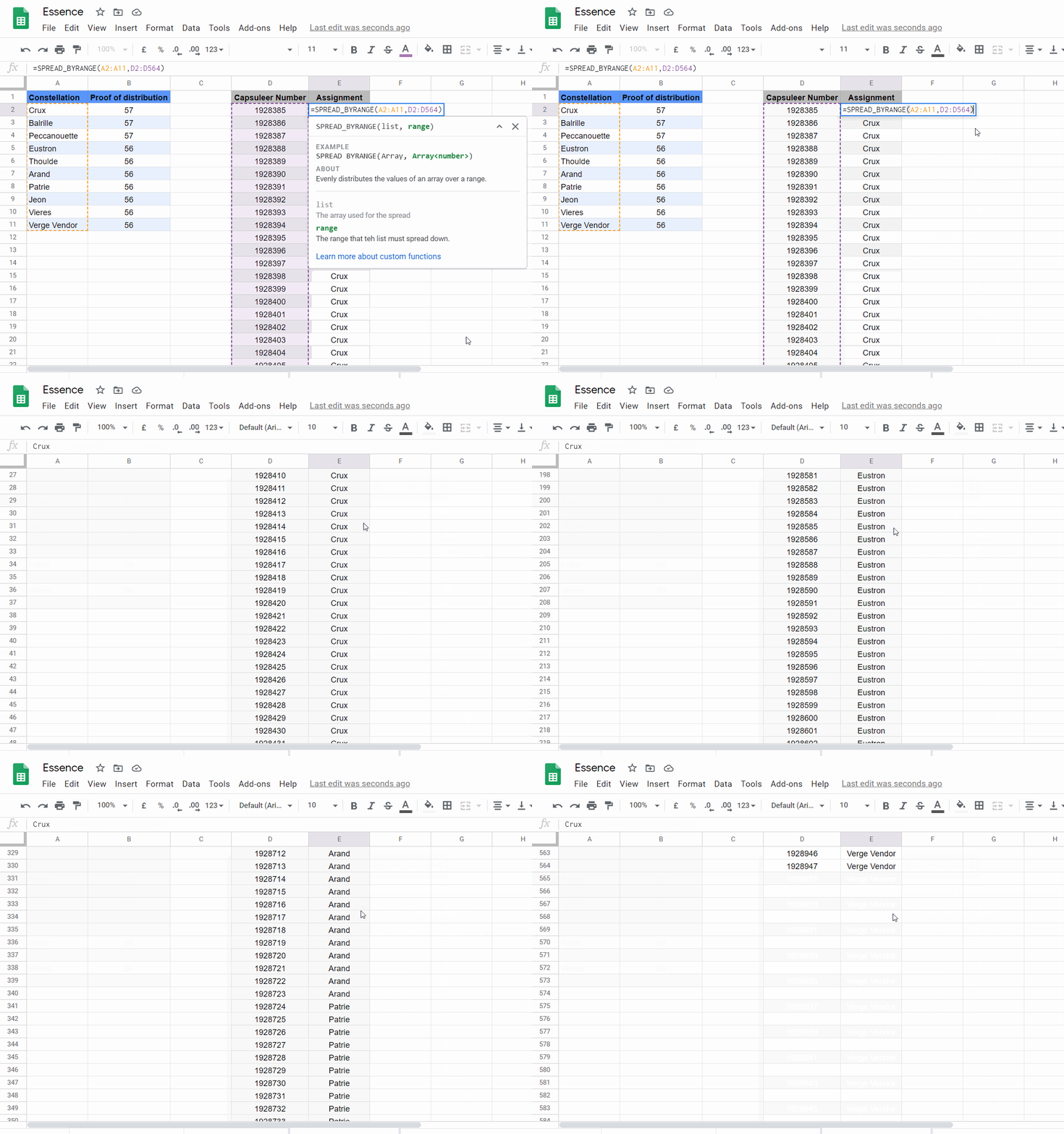
Imagine if you have a set of data, say, Cat, Dog, Goat and you want to create a new column where each item is repeated 3 times. Essentially what we are doing here is spreading out our original … There is no real easy approach to do these things with the standard Google Sheets Formulas (Known as Functions in Google Sheets). Fortunately, we can create custom functions with Google Apps Script to do the job.
In this post, I will go over the 3 custom functions that I created to solve these three problems. I’ll then provide a quick-use guide if you just want to dive in and get started using them. Finally, I go over some of the interesting parts of the Google Apps Script code for those of you who wish to learn more about creating your own custom functions.
Have you ever asked for a list from a client, another department or agency and instead of saving into a file that might even be considered marginally useful, they give it to you as a pdf.
After some prostrations to the great Google Apps Script gods, I had a though. “Hey, can’t we convert a PDF to a Google Doc with just a click of the button? Surely the great Google Apps Script devs have made it so we can do it programmatically too.” And you know what? They bloody well did. The big legends.
Yagi shares a comprehensive walk-through of how you can sometimes extract data from .PDF documents using Google Apps Script and the advance Drive service. The solution is also able to work on .PDFs created from images using the built-in OCR features of Google Drive and you might want to drop the getTextFromPDF() function shared in the post.
Google Classroom has become one of the darlings of the teaching world that has come out of this crisis. Its shallow learning curve and attractive UI made it an obvious choice for most educators. Oh, and I am sure the fact that it is free helped too.
One of the limitations is that you cannot simply upload grades from, say Google Sheets or another assessment tool. Well…not directly in the Google Classroom platform, yet.
This tutorial runs through the basics of uploading grades from Google Sheets into Google Classroom using Google Apps Script with the Classroom API.
This simple tutorial should get you started with grabbing text from a Google Doc for other uses. You could certainly make a lot of changes to the code to introduce more search rules. Likewise, you could use regular expressions to search for some really cool stuff, but for a simple overview this should get you started.
This post provides a detailed how-to of getting a list of information from the document that you have noticed are between two sets of characters.
Have you ever woken up in the middle of the night thinking – phawh! I’d really like to know how many words there are in a paragraph – Or stopped mid-chew on some arbitrary item carelessly left in the paddock by the boss and thought – geez! If there was only a way to count the number of sentences in a paragraph in a cell in Google Sheets!?
In this short tutorial, Yagisanatode will show you how to get the total count of words in a cell and the total count of sentences in a cell in Google Sheets. They even have a how-to on getting the average sentence length in a paragraph.
Have you ever wanted to delete or add columns in a Google Sheet, based on another set of Sheet data?
In this tutorial, we’ll show you how to use Google Apps Script to update your headers based on another sheets values. These sheets values can come from the current Google Sheet workbook or another one. We will also ensure that the data below the headers is migrated along with the new header location.
This course requires a rudimentary understanding of very basic Javascript concepts and of what an array is. Nevertheless, if you want to come in blind you should be able to pick things up with a bit of Googling.
One of the major regular tasks that Google Apps Scripts can do for Google Sheets is to automate the transformation of data from one state to another.
Sometimes this task can simply be accomplished by building dynamic templates using the vast functionality of Google Sheets. Other times automation via Google Apps Script is a better tool for the job.
Have you ever experienced the warning about “number of columns in the data does not match the number of columns in the range” when trying to set values or paste a range of values back into your Google Sheet with Google Apps Script?
Check out this post to see how this script can help you fill out your column data to match the number of columns in a range.