So you have this awesome idea for a Google Workspace Add-on (GWAO), but you need to be able to select Google Drive files and folders as a part of your process. … Ideally, you would want a built-in File Picker class that would select the files and folders from the directories you need. Whelp… unfortunately, we don’t have that right now for Google Apps Script’s Card Service.
One approach might be to build out a file picker card selecting each parent’s files and folders and navigate through it like, say, a linked list. … Instead, I decided to incorporate Googles File Picker API as a popup window from the sidebar, because, it’s kinda what it is designed for.
The Google Apps Script GDEs are publishing some very thorough tutorials just now. The latest comes from Scott Donald who has published a tutorial exploring how the Google Drive Picker can be used with Workspace Add-ons that use the Card Service. The post is particularly good at highlighting the steps required as a Google Cloud Console project.
Learn how to find and replace text with a link in Google Docs with Google Apps Script Document App with 3 different scenarios.
So you are a citizen Google Apps Script developer and you’ve decided to make yourself a mail-merge-type project where you want to create new documents from a template. … Now you want to take it to the next level and replace the text with a hyperlink containing the text and the URL. You might be scratching your head wondering where the replaceTextWithLink() method is or why you can’t simply chain the setLinkUrl() method without making a hyperlink out of the entire body of the document.
Another one of Scott Donald’s very thorough tutorials, this one exploring link creation in Google Docs.
A few days before publishing this post, I put a call out for some Beta testers to get free access to my new course Google Sheet: Learn the Essentials through 3 Detailed Projects.
I needed a way to provide coupon codes for free access to the course in exchange for some feedback and much-needed tutorials.
To do this, I created a Google Form. This contained some details and expectations, and then some details about the submitter and a consent checkbox at the end. If the submitter consented and hit submit I wanted them to get an email back with the coupon code.
In this tutorial, we will go through how to create a custom auto email response containing:
The submitter’s name in the greeting.
Your email message.
Your primary signature block from your Gmail account.
A tool to schedule weekly time triggers between two dates in Google Apps Script. Grab the code and ready the quick-use guide or stick around for a deep dive.
Nice solution from Scott Donald to setup timed triggers for a fixed period so you don’t have to worry about manually adding/removing.
If you have made it to this post you are probably a little frustrates about why your Google Apps Script time triggers are not running on or around the times that you have designated … To cut to the chase, the likely cause of clock triggers not running in the time range that you have selected is that the time zone in your Google Apps Script project is out.
Scott ‘Yagi’ Donald provides some very useful tips on how you can check and adjust your Apps Script project’s timezone.
Google Apps Script: WebApp In this tutorial, we will cover how you can get a unique temporary access key from a user accessing your WebApp that lasts for 30 days. Temporary access keys allow you to track users as they use your WebApp over time while still providing anonymity to the user by providing only an access key to that user.
In this tutorial, we will cover creating a custom Table of Contents that lists your Google Sheets tabs on its own tab using Google Apps Script. This Table of Contents (TOC) will update whenever you open your sheet or choose to update it with a button.
As always a very detailed explanation of how this solution works from Scott ‘Yagi’ Donald.
Recently I raised a support ticket with a tech company I was subscribed to where we were trying to resolve an integration issue I had with their service. Once we had it all resolved they followed up with a feedback form. That feedback form just happened to be a Google Form.
In this tutorial, I’ll walk you through accessing the prefill tool in Google Forms. Then, if you are keen on doing some coding, we’ll create a little custom feedback form for unique users that we will deliver via email.
Nice tutorial from Scott ‘Yagi’ Donald on using prefilled Google Form links. For beginners the post includes everything you need to know. For more experienced developers Scott includes some nice code for handling Google Sheet data.
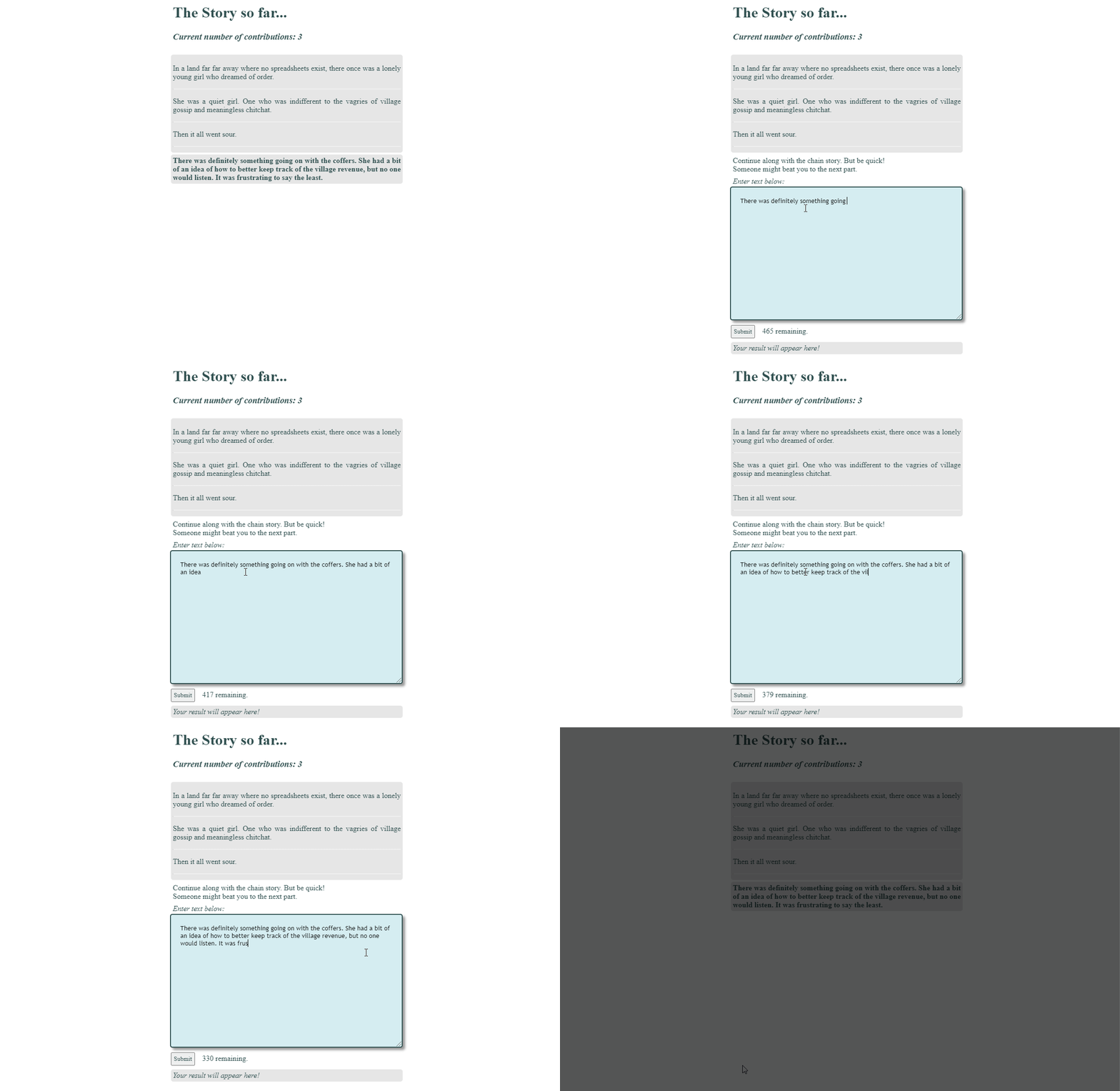
In this tutorial, we are going to create an interactive story chain app that we can embed into a Google Site or your own site like WordPress.
Yagi uses a simple but very effective interactive story chain app to explore and explain some very powerful Apps Script functionality all developers should know about. This includes using the LockService which can be used to prevent concurrent access to sections of code. Yagi also highlights some recent discussions around the limitations of Web Apps and concurrent users. Click through to the source for all this and more.
If you have ever done any work in Google Sheets you might have come across the incredibly useful UNIQUE function. This function can take a single row or multiple rows and generate a list of unique cell values.
Sometime you might have a use case where you need to replicate the UNIQUE functionality in Google Apps Script. … Whatever the case, knowing how to to create a unique array from a 1-dimensional array or a 2-dimensional array is an important part of your toolkit as a coding goat 🐐.
This tutorial will look at how to create this with modern Javascript that is incorporated into the Google Apps Script language.