Build a Google Analytics dashboard 🖥️ with an Apps Script, a Sheets add-on, and Google Sites

If you help manage websites for your organization, and use Google Analytics, you can have data synced directly into a Google Spreadsheet on a routine basis (aka daily at 9am), by installing the Google Analytics add-on in your Sheet.

In addition to using the add-on, you can record your steps using a macro recorder and convert that into a custom menu that automates the setup of your report and creates a summary in chart form.

In this article I walk you through how to build a process to gather unique pageviews for this week, last week, this year, last year, regional location of audience, and top browsers used.
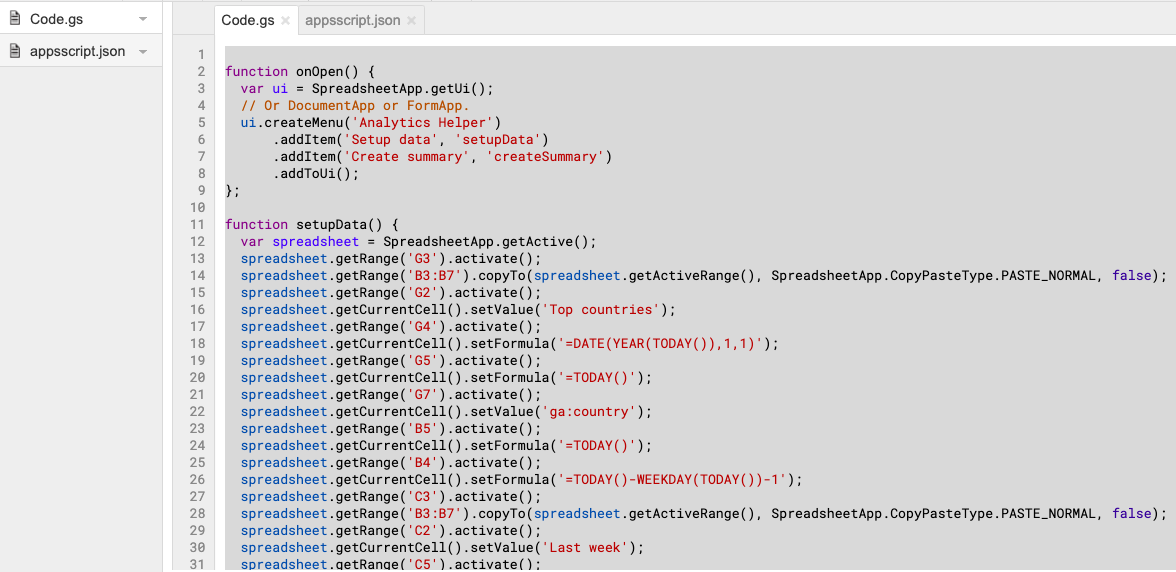
Source: Build a Google Analytics dashboard 🖥️ with an Apps Script, a Sheets add-on, and Google Sites


Apps Script – Adding and removing Drive files and folders

In case you didn’t know, Google Drive has the ability to store files and folders in more than one place at a time. So, you could have a file in a folder for a particular company and have the same file in a different folder which is where you store all the reports. It’s something you can’t do in a traditional computer folder system.

Source: Apps Script – Adding and removing Drive files and folders

Create an Apps Script web app to collect phone numbers to text message customers updates 📟

In this article the author elaborates on how to create a basic interface using a standalone Apps Script (based on JavaScript and HTML) in order to collect phone numbers on your website, email signature, or wherever you can embed a URL of this web app and have the phone numbers input, delivered to your Google Sheet.

Source: Create an Apps Script web app to collect phone numbers to text message customers updates 📟

Send SMS event updates or discount codes using Twilio from a Google Sheet

Whether it’s a dinner reservation confirmation, a discount code, or a status update via SMS; it’s handy to be able to use a Google Sheet as an interface where you enter desired phone numbers to text along with a unique message for each, especially if you need to concatenate or produce randomized data using formulas in a Sheet as the message.

In this article the author will walk you through how to use a Google Sheet to send text messages using Twilio’s free trial account (an online communications provider that offers texting, calling, etc).

Source: Send SMS event updates or discount codes using Twilio from a Google Sheet

Analyzing Mailchimp Campaigns using Google Apps Script — PART II

So when you send out a campaign, Mailchimp tracks how many people opened the emails and which links were clicked within the email. So this information might not be available in a format you might like. So we will utilize the power of Mailchimp API and Google Sheets to put it in a format that we desire.

Source: Analyzing Mailchimp Campaigns using Google Apps Script — PART II

Automating Mailchimp Campaigns using Google Apps Script — PART I

Mailchimp has an amazing, well documented RESTful API. I loved exploring all what it had to offer and using it with Google Sheets and automating the whole campaign process right at the click of the button was surely fun.

Some detailed guidance on composing marketing campaigns in Mailchimp using Google Apps Script.

Source: Automating Mailchimp Campaigns using Google Apps Script — PART I

BigQuery create partitioned table and load CSV with Apps Script

Work with partitioned table and upload a csv file in BigQuery with Apps Script.

BigQuery is the famous Google database to store huge amount of data and query them fastly. For a recent a project I had to use it for storing some logs so here the code used with Google Apps Script to create the table and load a csv file from Google Drive.

Source: BigQuery create partitioned table and load CSV with Apps Script

Send bullk emails with personalised images in G Suite using Google Apps Script

Earlier in the year I managed to get a bulk emailing script published in the G Suite Developer Solutions Gallery. In this post I want to show you how you can extend this script so that you can send personalised images using Gmail, Sheets and Slides.

Source: Send bullk emails with personalised images in G Suite using Google Apps Script