I created a Twitter Bot from nothing but a Google Sheet – And I Didn’t Even Know The Scripting Language…

… that job taught me two very important lessons: repetitive stuff needs to be automated; the best way to learn to code is with a tangible, objective problem that needs a solution. … It was then I decided to go all-out and make a Twitter Bot. Having no relevant experience or clue of what I was doing, my goal was simple: send a few tweets with relevant quotes, readings, and information for Orthodox Christians

Very detailed post from Peter Berthelsen on his journey from no-code to making a functional Twitter bot and if you keep reading to the end you’ll get a link to Peter’s follow-up post with a template and setup instructions. These posts are great examples of the empowerment Google Apps Script can give to people.

Source: I created a Twitter Bot from nothing but a Google Sheet

Using Apps Script, a Google Sheets Macro and Benford’s Law to Detect Potential Fraud – Laura Taylor

As one of the only technologists in a family of CPAs I’m always seeking ways to participate in the discussion. So when the topic of using Benford’s Law as a risk assessment tool recently surfaced in conversation I decided to develop a custom macro to automate the analysis inside Google Sheets.

Laura Taylor tackles an interesting topic is this post highlighting how Benford’s Law can be used to detect anomalies in data. Google Apps Script developers might also be interested in the way macros are introduced to the reader.

Source: Using Apps Script, a Google Sheets Macro and Benford’s Law to Detect Potential Fraud

TSDataTable — Simple, Elegant Data Tables for Google Sheets & Sites – Laura Taylor

The challenge? Make this table powerfully configurable, simple to use, private to the client domain and employ existing G Suite tools.

After some dedicated design and development with Google Apps Script … 💥 TSDataTable!

Source: TSDataTable — Simple, Elegant Data Tables for Google Sheets & Sites

Digitize Mail & Parcels Tracking with Google App Maker

A few months ago my team was challenged to digitize the work of the General Services Department in our offices. To improve the process we created a Google App Maker web-app designed to be used on Chromebooks in tablet mode. To track usage and movements, Cloud SQL stores data in tables: packages, movements/history and anomalies declared by teams. In order to retrieve the hexadecimal code of the badge, it’s really easy. A card reader behaves like a keyboard !

Source: Digitize Mail & Parcels Tracking with Google App Maker

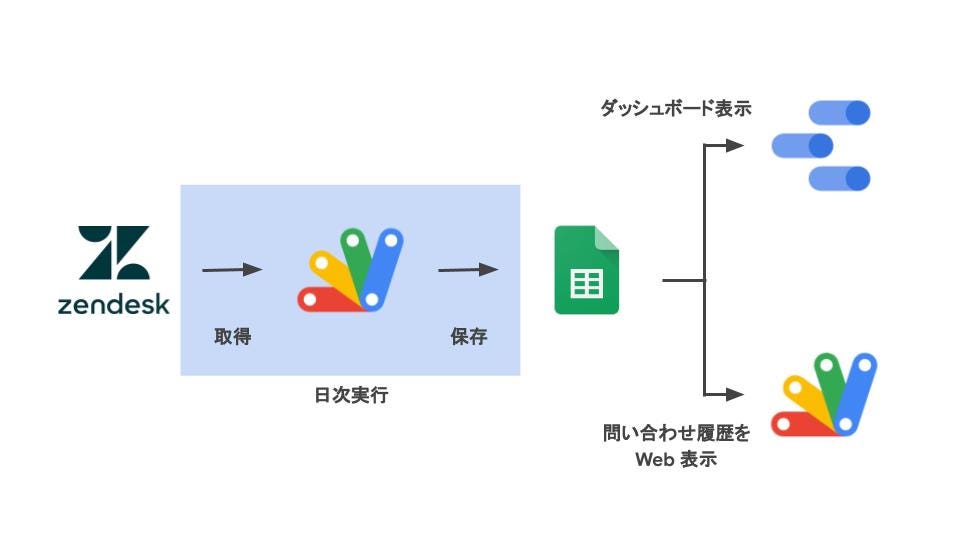
Build a query analysis and visualization tool with G Suite and Zendesk API (Japanese)- Medium

Yuki Tanabe gives an overview of how to use Google Apps Script and Data Studio to create a visualization and analysis tool for services that provide web APIs

Source: G Suite x Zendesk API で問い合わせの分析・可視化ツールを作ってみた – google-cloud-jp – Medium

Record time and activities with Google Sheets, Calendar and Apps Script

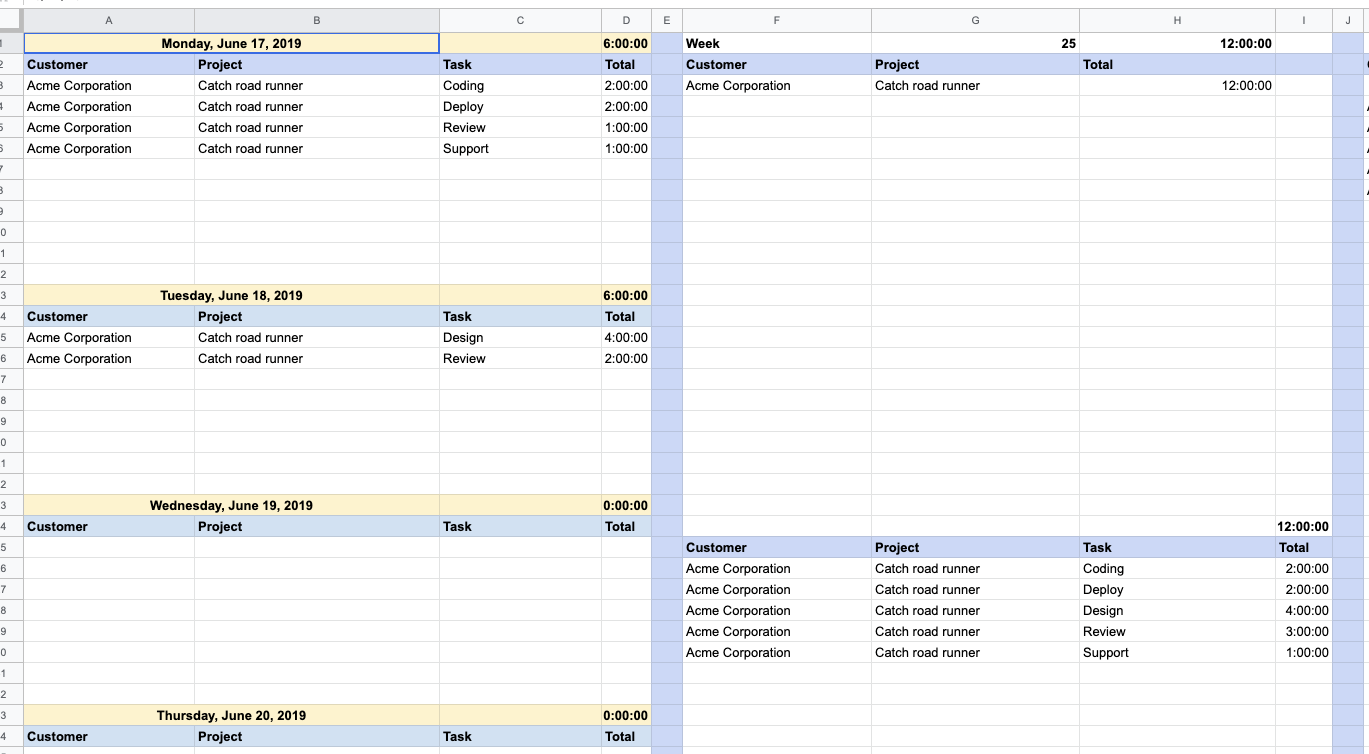
Jasper Duizendstra demonstrates how with a little bit of Google Apps Script you can easily use your Google Calendar to keep a record of how much time you spend on tasks and then query/report this via Google Sheets. The post contains instructions and code for getting started

Source: Record time and activities with Google Sheets, Calendar and Apps Script