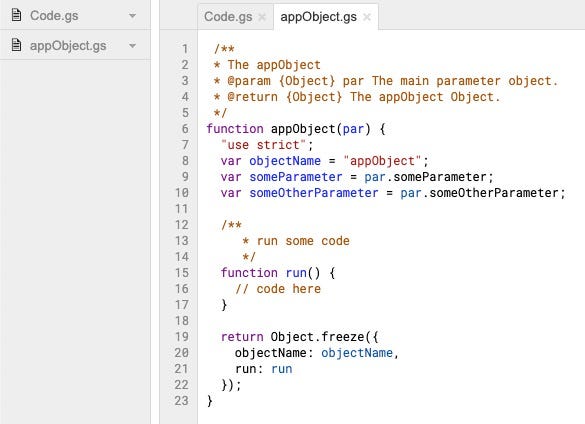
In the previous post in the Google Apps Script Pattern series we looked at selectively updating rows of data in a Google Sheet. For this post we will look at a couple of patterns for inserting multiple rows of data into Google Sheets.
10 years ago this week we introduced Google Apps Script, G Suite’s scripting platform. What started as a small experiment has grown into one of Google’s most popular developer products. To commemorate the moment, I sat down with Mike Harm, the creator of Apps Script, to reflect back on how it all got started.
Back in May we announced a pilot release of Google Apps Script, and after thousands of hours of use, and lots of valuable feedback, we’re excited to launch Google Apps Script to all Google Apps Premier and Education Edition customers today.
This was the news posted on 19 August 2009. Accompanying the original launch post is a video recorded by Jonathan Rochelle in which you can see just how far Google Apps Script has come:
The G Suite Solutions Gallery is a collection of sample solutions that demonstrates how you can solve common business challenges with G Suite Developer technologies. These samples showcase different ways to integrate and customize the productivity tools you’re already using.
Yuki Tanabe provides some Google Apps Script code that can change the owner permissions of all folders and files in a particular folder in Google Drive
Yuki Tanabe gives an overview of how to use Google Apps Script and Data Studio to create a visualization and analysis tool for services that provide web APIs
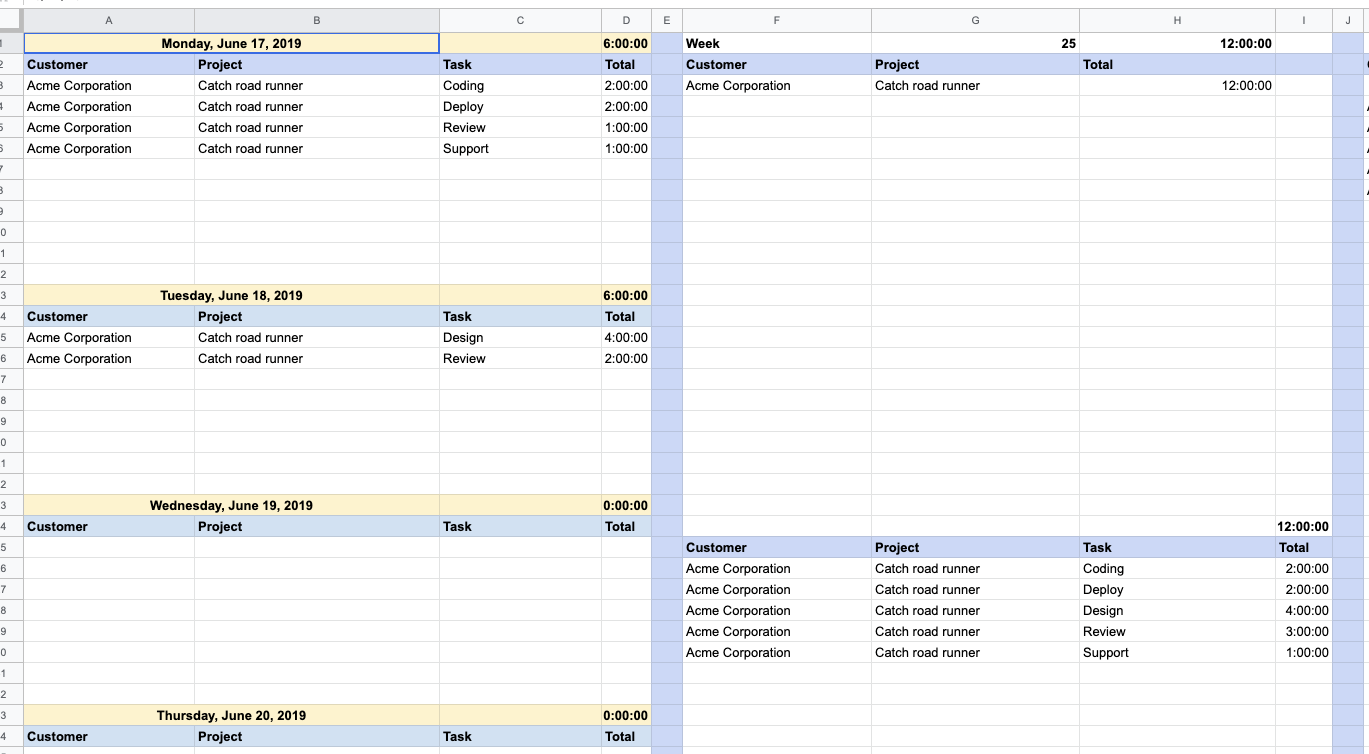
Jasper Duizendstra demonstrates how with a little bit of Google Apps Script you can easily use your Google Calendar to keep a record of how much time you spend on tasks and then query/report this via Google Sheets. The post contains instructions and code for getting started