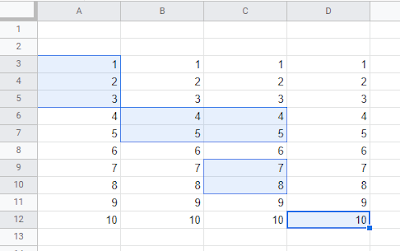
Get all selected Ranges in a Google Sheet along with values, row and column details.
Selected ranges in a Google Sheet
The following Google Apps Script was from some learning around multiple ranges being selected/highlighted by a user in a Google Sheet. I have always worked with individual cells or continuous ranges within Sheets, but during the development of my Archive Sheet data Add-on I wanted to enhance it by allowing more rows to be acted upon in one go.
I practiced getting a few values after looping through each selected range:
I use Google Apps Script to support staff and students in my job. I enjoy dabbling with creating tools to help with automation and I freely share my learning experiences on my blog, where I also have a number of useful Google Add-ons: www.pbainbridge.co.uk