Repost: Sending bulk email (mail merge) using Gmail and Google Sheets – MASHe

Simplify the process of producing visually rich mail merges using Gmail and combining it with data from Google Sheets. With this solution you can automatically populate an email template created as a Gmail draft with data from Google Sheets. Merged emails are sent from your Gmail account allowing you to respond to recipient replies.
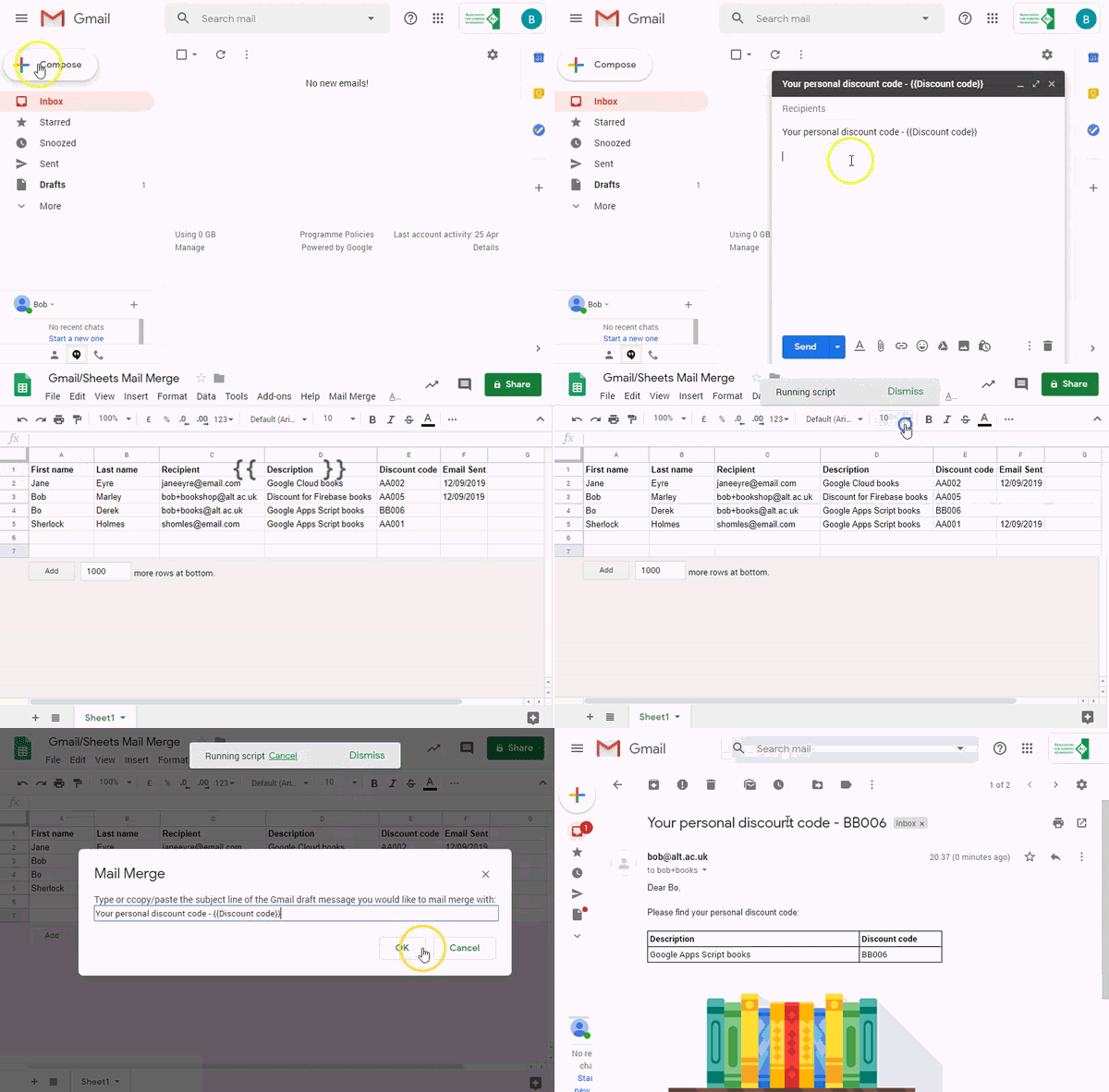
Source: Repost: Sending bulk email (mail merge) using Gmail and Google Sheets – MASHe

Google Apps Script Patterns: Celebrating 10 years by revisiting mail merge/bulk emailing – MASHe

Over the last 10 years of Google Apps Scripts there have been a number of bulk email solutions shared by the community. This post revisits some of these examples and shares one of the latest examples from the GSuite Solutions Gallery

TL;DR A new solution for creating and distribute visually rich bulk emails with Gmail and Google Sheets.

Source: Google Apps Script Patterns: Celebrating 10 years by revisiting mail merge/bulk emailing – MASHe

Google Apps Script Patterns: Writing rows of data to Google Sheets – MASHe

This is a popular post from 2018….

In the previous post in the Google Apps Script Pattern series we looked at selectively updating rows of data in a Google Sheet. For this post we will look at a couple of patterns for inserting multiple rows of data into Google Sheets.

Source: Google Apps Script Patterns: Writing rows of data to Google Sheets – MASHe

Google Apps Script Patterns: Writing custom formulas/functions and handling single and range inputs – MASHe

Custom functions have been in Google Apps Script since it’s public launch in 2009. These let you extend Google Sheets function list allowing you to create and share your own spreadsheet formula. This post provides some guidance on writing custom Google Sheet functions that can handle both single and range inputs

Source: Google Apps Script Patterns: Writing custom formulas/functions and handling single and range inputs – MASHe

Google Apps Script Patterns: Creating conversational interfaces with Dialogflow – MASHe

In a recent episode of Totally Unscripted I demonstrated how you can use the Dialogflow service as a way to allow you to add conversational interfaces to your Google Apps Script projects. In this post I share some boilerplate and instructions for implementing Dialogflow into G Suite editor add-on projects

Source: Google Apps Script Patterns: Creating conversational interfaces with Dialogflow – MASHe